Table of Contents
Whether you’re launching your first product or scaling an established brand, the Shopify website builder for eCommerce gives you everything needed to create a professional online store — without writing a single line of code. From drag-and-drop design tools to built-in SEO and payment processing, Shopify has become the go-to platform for entrepreneurs worldwide.
In this guide, you’ll learn what makes Shopify’s eCommerce website builder stand out, how to set up your store step by step, and how to scale it with the right tools and apps.
Table of Contents
What Is the Shopify Website Builder for eCommerce?

Shopify is a cloud-based commerce platform that powers over 5.6 million active stores across 175+ countries. At its core, the eCommerce website builder by Shopify is a fully integrated system that lets you design, launch, and manage your storefront from one dashboard — no technical background required.
Unlike generic website builders, Shopify is purpose-built for selling. Every feature — from themes to checkout — is optimized for conversion, speed, and scalability.
Who Is Shopify Built For?
Shopify’s platform scales with any business size:
- First-time sellers launching a side hustle or single product
- Small businesses building a direct-to-consumer (D2C) channel
- Growing brands that need multi-channel selling across social media and marketplaces
- Enterprise retailers using Shopify Plus for advanced automation and custom development
Core Structure of Shopify’s eCommerce Website Builder
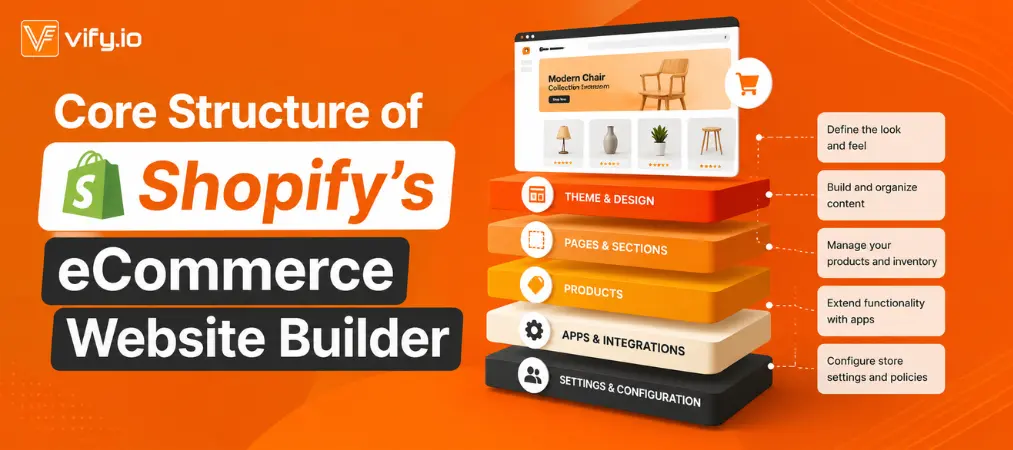
Understanding how Shopify’s eCommerce website builder is organized will help you get the most out of the platform from day one. It is built around five core pillars:
- Online Store — Your public storefront, customized through Shopify’s visual editor
- Admin Dashboard — The back-end hub for managing products, orders, customers, and analytics
- Shopify App Store — Over 18,000 apps to extend your store’s functionality
- Shopify Payments — The built-in processor for accepting cards, Buy Now Pay Later, and more
- Sales Channels — Connections to Amazon, Instagram, TikTok Shop, Google Shopping, and POS systems
Key Features That Set the Shopify eCommerce Website Builder Apart
The Shopify eCommerce website builder is more than a design tool — it’s a fully integrated commerce ecosystem. Here’s what makes it stand out:
Visual Drag-and-Drop Editor
Shopify’s Online Store 2.0 editor lets you build every page visually — hero banners, product grids, testimonials, featured collections — without touching code. The “Sections Everywhere” feature lets you add, reorder, and remove content blocks on any page, not just the homepage. Developers can also use Liquid templating and custom Metafields for advanced customization.
A Theme Library Built for Conversions
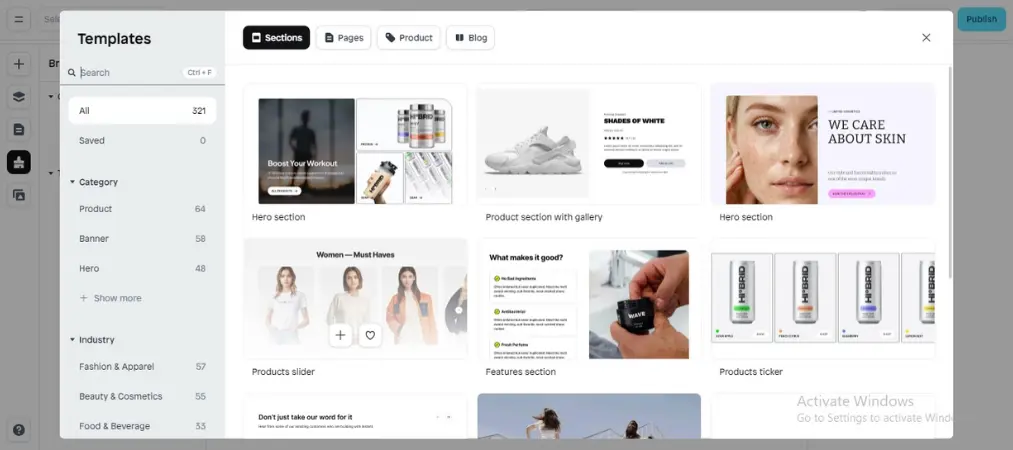
Shopify offers 1,000+ themes ranging from free options to premium templates priced between $100–$500. Every theme is:
- Mobile-responsive by default
- Optimized for Core Web Vitals performance
- Customizable through the no-code editor
- Tested across browsers and devices
Popular themes like Dawn, Sense, and Refresh are particularly well-suited for new stores that want a polished look without the premium price tag.
Abandoned Cart Recovery
One of Shopify’s most impactful built-in features is automated cart recovery. When a customer leaves without completing their purchase, Shopify automatically sends timed email reminders — customizable to match your brand voice. This single feature can meaningfully improve conversion rates with minimal setup.
Powerful Built-In SEO Tools
Every page in your Shopify store includes editable SEO title tags, meta descriptions, image alt text, and canonical URLs. Combined with automatic sitemap generation and clean URL structures, the eCommerce website builder by Shopify gives your store a strong SEO foundation from day one.
A Scalable App Ecosystem
With over 18,000 apps in the Shopify App Store, you can extend your store’s functionality in almost any direction — email marketing, loyalty programs, upsells, reviews, and much more. One category worth particular attention is order management and invoicing, which becomes critical as your order volume grows.
For merchants focused on long-term growth, implementing a strong customer loyalty program can be one of the most effective ways to increase repeat purchases and improve customer lifetime value.
How to Build Your eCommerce Store With Shopify (Step by Step)
Step 1 — Create Your Account and Choose a Plan
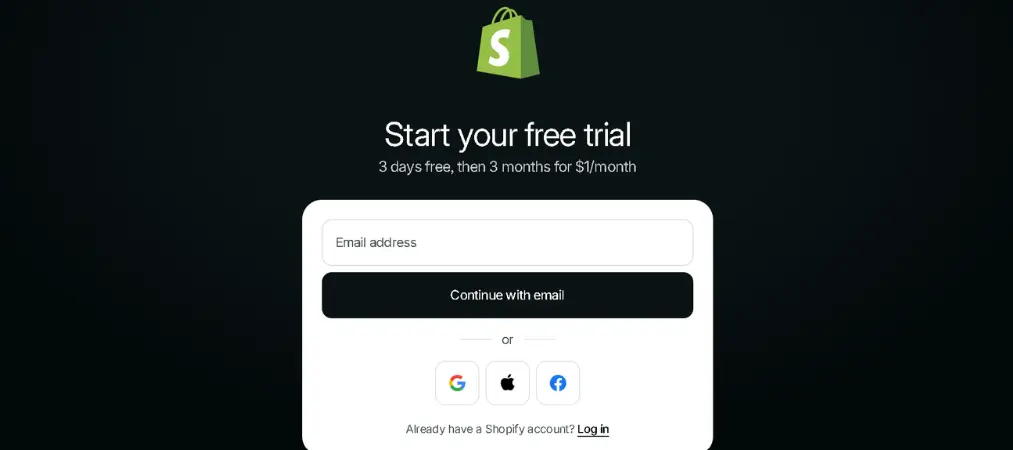
Visit Shopify.com and start your free trial. No credit card is required. During onboarding, Shopify will ask about your business type and goals to tailor your dashboard setup. Once you’re ready to go live, choose a paid plan based on your sales volume and feature needs.
Step 2 — Select and Customize Your Theme
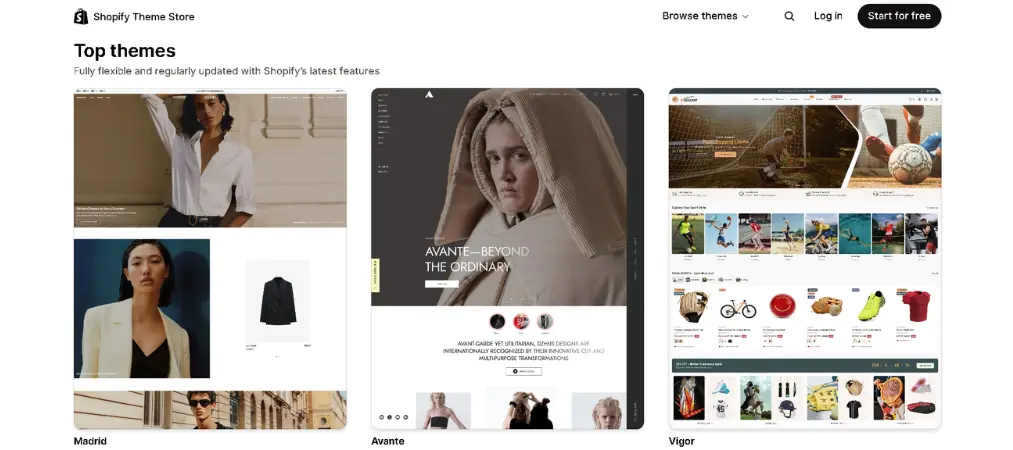
Navigate to Online Store > Themes in your admin panel. Preview themes in both desktop and mobile views, then install your preferred option. From the theme editor, you can:
- Upload your logo and set brand colors and fonts
- Arrange homepage sections and collections
- Build your navigation menus
- Set up your footer with policy links and social accounts
Step 3 — Add Products, Collections, and Pricing
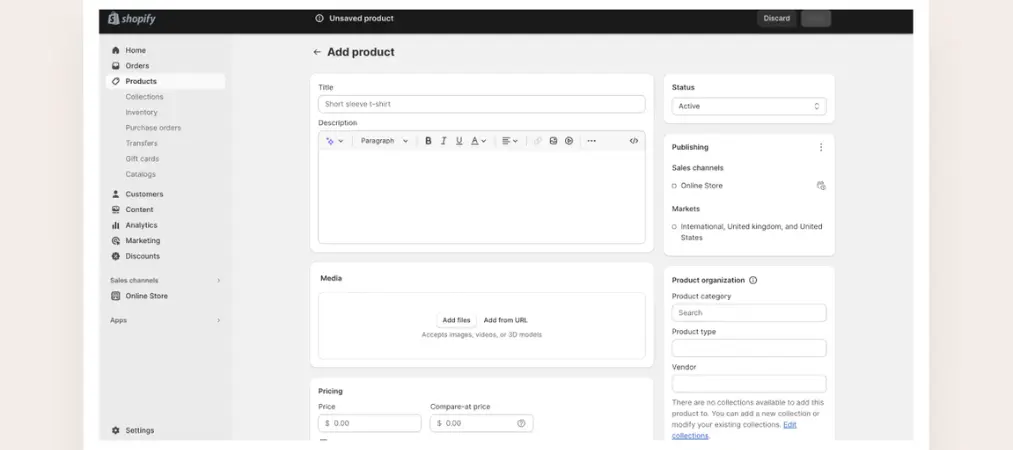
Go to Products > Add Product to build your catalog. For each product, you can upload multiple images, create variants (size, color, material), set pricing and sale pricing, and configure SEO metadata at the product level. Group your products into Collections to improve navigation and support your SEO strategy.
That’s where a dedicated invoicing solution makes a real difference. Vify Shopify Order Printer app is a Shopify app designed to help merchants automatically generate branded, customizable PDF invoices, packing slips, and receipts — no coding required. It’s a simple upgrade that saves time and adds a layer of professionalism that customers notice.
Step 4 — Set Up Shipping, Taxes, and Payments
In your Settings panel, configure:
- Shipping: flat rates, weight-based rates, free shipping thresholds, and carrier-calculated options
- Taxes: Shopify automatically applies tax rates based on your business and customer locations for supported regions
- Payments: Enable Shopify Payments for the lowest fees, or connect third-party gateways like PayPal, Stripe, or regional processors
Step 5 — Connect Your Domain and Launch
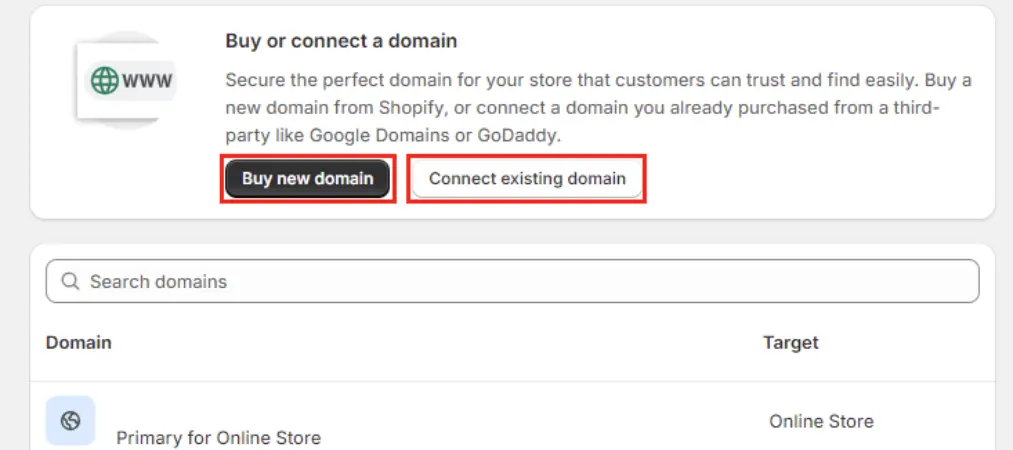
Purchase a custom domain through Shopify (~$14/year) or connect one from providers like GoDaddy or Namecheap. Shopify automatically handles SSL certification. When you’re ready, remove your storefront password under Online Store > Preferences to go live.
Step 6 — Optimize Your Store for SEO Before Driving Traffic

Before launching ad campaigns or social media promotions, complete these SEO essentials:
- Edit SEO titles and meta descriptions for all products, collections, and pages
- Add descriptive alt text to every product image
- Submit your sitemap to Google Search Console
- Connect Google Analytics 4 via the Shopify Google Channel
- Run a mobile speed test and ensure load times are under 2.5 seconds
Scaling Your Shopify Store: What to Focus on After Launch
Getting your store live is just the beginning. The merchants who grow successfully on Shopify are those who treat their store as an evolving system, not a one-time project.
Leverage Customer Data for Personalization
Shopify automatically collects purchase history, browsing behavior, and contact details for every customer. Use this data to segment your audience and send personalized email campaigns, loyalty rewards, and targeted promotions. Tools like Shopify Email and third-party platforms integrate directly with your customer data.
Use AI-Powered Tools to Save Time

Shopify Magic, Shopify’s built-in AI assistant, can auto-generate product descriptions, suggest email subject lines, and help with store setup tasks. For stores with large catalogs, this kind of automation can save hours of manual work each week while maintaining consistent, SEO-friendly copy.
Prioritize Post-Purchase Experience
One often-overlooked area of the customer journey is what happens after the sale. Customers expect professional order confirmations, invoices, and packing slips. Using professional Shopify order printer templates helps ensure that invoices, packing slips, and receipts remain consistent with your brand while streamlining order fulfillment operations. As order volume grows, manually handling these documents becomes unsustainable.
What Merchants Often Ask About Shopify
Do I need coding skills to use the Shopify website builder for eCommerce?
No. Shopify is designed for non-technical users. The drag-and-drop editor, pre-built themes, and guided setup mean you can build a fully functional store without writing any code.
How much does Shopify cost?
Shopify offers a free trial to get started. Paid plans begin at around $29/month (Basic), with higher-tier plans available as your business grows. Each plan includes hosting, SSL, and access to the core platform features.

Can I use my own domain name?
Yes. You can purchase a domain directly through Shopify or connect an existing one from any third-party registrar. Shopify handles SSL certification automatically for all custom domains.
What payment gateways does Shopify support?
Shopify’s eCommerce website builder supports a wide range of payment options, including Shopify Payments, PayPal, Stripe, and numerous regional gateways. The right choice depends on your business location and your customers’ preferred payment methods.
How long does it take to build a Shopify store?
A basic store with a theme, products, and payment setup can be live within a day. More complex stores with custom designs, large catalogs, and app integrations typically take one to two weeks.
Conclusion
The Shopify website builder for eCommerce has earned its position as the world’s leading commerce platform for a reason: it combines ease of use with the depth and flexibility needed to grow a real business. Whether you’re just getting started or looking to professionalize an existing operation, the eCommerce website builder by Shopify gives you everything you need — from your first product listing to your thousandth order.
As your store grows, the tools you use around Shopify matter just as much as the platform itself. For professional invoicing and order documents that reflect your brand, Vify Order Printer is the trusted choice for thousands of Shopify merchants worldwide — try it free and see the difference it makes.