Table of Contents
Managing an ecommerce business involves far more than processing customer orders. As your store grows, you need a reliable system for generating invoices, packing slips, receipts, shipping documents, and return forms. This is exactly where an order printer Shopify solution becomes an essential part of daily operations.
Many merchants start with manual order documentation, but this quickly becomes unsustainable as volume increases. A professional order printer from Shopify can automate document generation, improve branding consistency, and create a smoother experience for both store owners and customers.
In this guide, you’ll learn everything about setting up and optimizing your order printer on Shopify — from initial configuration and template customization to best practices and future trends.
Table of Contents
What Is an Order Printer Shopify Tool?
An order printer Shopify app is designed to help merchants generate printable order documents directly from the Shopify admin dashboard. Instead of manually creating invoices or packing slips, the system automatically pulls order data and formats it into professional, ready-to-send documents.
For stores handling multiple orders daily, this automation saves significant time. Warehouse staff can quickly print shipping documents while customers receive clean, professional invoices that build trust in your brand.
The order printer from Shopify is commonly used for:
- Printing invoices for customers
- Generating packing slips for warehouse teams
- Creating return and exchange forms
- Sending PDF receipts automatically
- Producing customized branded order documents
Although Shopify provides a default order printer on Shopify, many merchants eventually move to third-party solutions for greater flexibility and automation.
Why Order Printing Matters in Ecommerce
Many stores underestimate how important order documentation is — until their business starts scaling. A reliable order printer from Shopify reduces manual work while keeping your operations organized and professional. If you’re also looking to grow long-term revenue from existing customers, learning how to build a customer loyalty program can work hand-in-hand with a professional order documentation system.
Faster order fulfillment. Warehouse staff can print packing slips and invoices directly from the Shopify admin, speeding up order preparation and minimizing fulfillment mistakes.
Better customer experience. Professional invoices and receipts make your business appear more established and trustworthy. Customers notice the difference between a generic printout and a branded document.
Stronger brand identity. Customized documents let you add your logo, brand colors, contact details, and even social media links — reinforcing your brand at every post-purchase touchpoint.
Easier accounting. Organized invoices and receipts simplify bookkeeping and tax reporting, saving you significant time during financial reviews or tax season.
Smoother international shipping. International orders often require printed customs documents and compliant invoices. An efficient order printer Shopify system handles this without extra manual steps.
How to Set Up an Order Printer on Shopify
Getting started with an order printer on Shopify is straightforward. Most apps install directly from the Shopify App Store in just a few minutes.
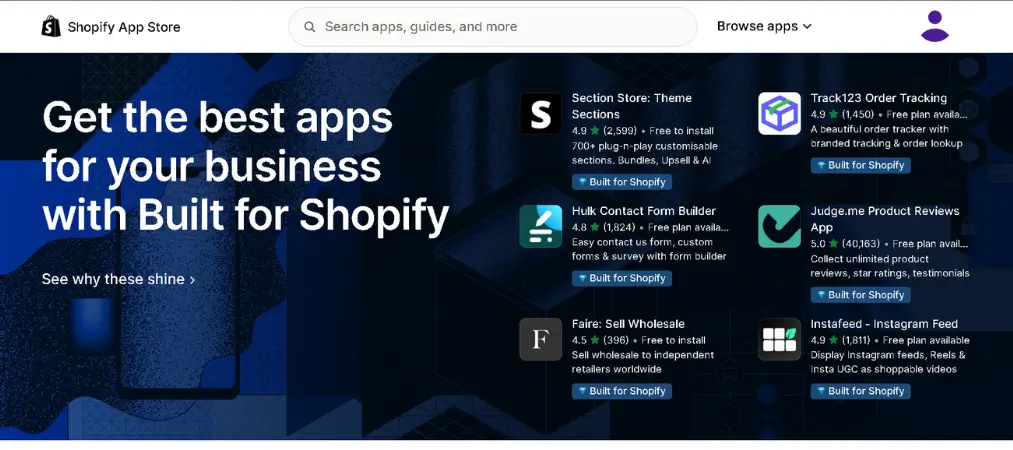
Step 1: Open the Shopify App Store.
Search for an order printer app that matches your store’s needs. Some focus on basic invoices; others provide advanced automation and multilingual support.
Step 2: Install the app.
Click install and approve the required permissions. The app connects to your Shopify store automatically.
Step 3: Configure your templates.
Most apps include editable templates for invoices, receipts, and packing slips. Customize these layouts with your branding elements — logo, colors, and contact information.
Step 4: Run test prints.
Before using the app on live orders, print several sample documents to verify that formatting, data fields, and layout all appear correctly.
Step 5: Automate the workflow.
Advanced solutions allow automatic PDF generation and email delivery triggered by order events, eliminating manual tasks entirely.
The Importance of Shopify Order Printer Templates
Templates are the foundation of any order printer Shopify system. A well-designed template improves document readability, strengthens brand consistency, and creates a more professional experience for every customer who receives one.
Basic Shopify order printer templates typically include order details, billing and shipping addresses, and a product summary. Advanced templates go much further — giving merchants control over typography, layout, colors, logos, personalized messaging, and legal information.
This level of customization is particularly valuable for stores that want every customer interaction to feel cohesive. When invoices visually match your online store design, the brand experience carries through from checkout to delivery.
Shopify order printer templates also provide critical flexibility for international selling. Templates that support multiple languages and currencies improve communication with global customers and reduce confusion around pricing and tax breakdowns. Merchants selling in Europe, North America, and Asia often need different tax formats and invoice structures — advanced templates handle this without requiring separate setups for each region.
For a step-by-step walkthrough of how templates work in practice, the Vify Order Printer PDF Invoice complete user guide covers everything from setup to advanced customization.

Key Features to Look for in an Order Printer Shopify App
Not every order printer from Shopify offers the same capabilities. Evaluating the right features before committing to an app can save you time and frustration later.
PDF export functionality is essential. Downloadable invoices are easier to archive, share with customers, and attach to accounting records.
Automated document delivery eliminates manual steps. The best apps send invoices and receipts to customers automatically after payment confirmation, with no action required from your side.
Bulk printing is critical for high-volume stores. Rather than printing documents one by one, warehouse teams can generate all invoices or packing slips for a given time period in a single action.
Brand customization gives you control over how every document looks. Professional stores need to control typography, logo placement, spacing, and color — not just fill in a basic form.
Multilingual and multi-currency support matters for any store with an international customer base. Invoices that display the correct language and currency for each customer reduce confusion and support requests.
VAT and tax compliance formatting is non-negotiable for EU and other regulated markets. Look for apps that handle sequential invoice numbering, tax-inclusive and tax-exclusive display, and compliant document structure out of the box.
Common Limitations of the Default Order Printer on Shopify
The default order printer on Shopify handles basic needs adequately, but growing businesses frequently run into its limitations.
Restricted design flexibility. The built-in system doesn’t offer enough visual customization for merchants who want branded, polished documents.
No automated delivery. Larger stores require automatic invoice generation and scheduled PDF emails — neither of which is available natively.
Outdated template aesthetics. Default layouts can appear plain or generic compared to modern ecommerce branding standards.
Limited localization support. Multi-currency formatting, regional tax requirements, and multilingual documents are better handled by dedicated third-party apps.
These gaps are why many merchants eventually migrate from the native tool to a more capable order printer Shopify solution.
Best Practices for Using an Order Printer from Shopify
Following a few core practices will help you get the most from your order printer from Shopify setup and keep your documentation professional.
Keep templates clean and readable. Overcomplicated invoices frustrate customers and make critical details harder to find. Prioritize clarity over decoration.
Maintain consistent branding. Logos, fonts, and colors should align with your online store across all documents — invoices, packing slips, and return forms alike.

Include accurate legal and tax information. Missing company details or incorrect tax formatting can create accounting and compliance problems down the line.
Test templates regularly. Even minor edits can affect formatting, especially across different devices, printers, and paper sizes. Test after every significant change.
Verify international formatting before shipping. Customs information, currency display, and language output should all be confirmed correct before orders go out the door.
Review customer feedback on documentation. If customers frequently contact support about unclear invoices or missing information, it’s a signal your templates need revisiting.
How Order Printing Improves the Post-Purchase Experience
Customer experience doesn’t end at checkout. Post-purchase communication is one of the most underrated ways to build long-term loyalty and encourage repeat purchases.
Professional invoices reassure customers that their order was processed correctly. Clear order summaries reduce confusion and cut down on unnecessary support requests. Packing slips improve fulfillment accuracy, helping warehouse teams verify every item before shipping. Return forms make exchanges and refunds more convenient — and a smooth returns experience often builds more loyalty than a perfect first purchase.
For B2B stores, professional documentation is especially critical. Business customers routinely require formal invoices for accounting, expense reporting, and reimbursement purposes. A poorly formatted document can delay payment and create friction in an otherwise smooth relationship.
Future Trends in Shopify Order Printing
The order printer Shopify ecosystem continues to evolve alongside broader ecommerce technology trends.
Artificial intelligence and workflow automation are taking on a larger role in document management. Some apps already support smart fulfillment workflows and automatic invoice categorization based on order attributes.
Cloud-based document storage is becoming standard, allowing merchants to access invoices from any device without manual backups or local file management.
Sustainability is also shaping order printing practices. Many businesses are reducing paper usage by offering digital invoices and downloadable PDFs as the default, reserving physical prints for specific fulfillment needs.
Mobile compatibility will continue growing in importance as more merchants manage their stores entirely from smartphones and tablets.
These developments will keep making order printer on Shopify solutions faster, smarter, and more adaptable for merchants at every stage of growth.
Final Thoughts
A reliable order printer Shopify solution is one of the most practical investments a growing store can make. From automating invoice generation to customizing Shopify order printer templates for international markets, the right tool saves time, reduces errors, and strengthens the professional impression your brand makes at every order.
As your business scales, manual document creation becomes impossible to sustain. A powerful order printer from Shopify lets you automate repetitive tasks, keep fulfillment organized, and deliver a post-purchase experience that customers remember.
If you are looking for a professional invoice and PDF solution for Shopify, Vify Order Printer provides advanced tools that help merchants create branded documents, automate workflows, and streamline order management with ease.