Table of Contents
Your website is your most powerful sales tool — and in a crowded ecommerce landscape, first impressions can make or break a sale. A well-executed Shopify website design doesn’t just look good; it builds trust, communicates your brand story, and guides visitors toward checkout without friction.
Whether you’re just starting out or refreshing an existing store, studying real-world examples is one of the fastest ways to unlock inspiration. In this guide, we’ve curated 15 of the best Shopify store designs across different industries, broken down what makes each one work, and included key design principles, current trends, and practical steps to help you design a Shopify website that stands out from the competition.
Table of Contents
What Is Shopify Website Design?
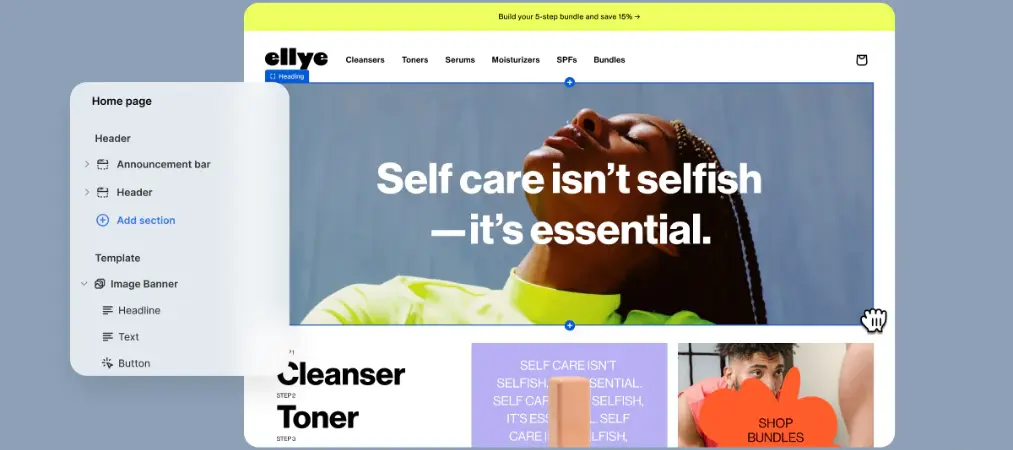
Shopify website design refers to the process of planning, structuring, and styling an online store built on the Shopify platform. It encompasses everything a visitor sees and interacts with — from the layout of your homepage and the fonts you choose, to your product page structure, color palette, navigation flow, and mobile experience.
But good Shopify website design goes beyond aesthetics. It’s the combination of visual identity and user experience (UX) working together to achieve a business goal: turning visitors into customers. A beautifully designed store that’s confusing to navigate will underperform a simpler store that’s intuitive and fast.
When you design a website on Shopify, you’re working within a flexible system of themes, sections, and apps that allows both beginners and experienced designers to build professional, high-converting storefronts — without necessarily writing a single line of code.
How to Make the Most of These Examples
Scrolling through beautiful Shopify stores can be motivating — and equally overwhelming. It’s tempting to want to replicate a design pixel for pixel, but that’s rarely the right move. The most effective way to use inspiration is to look beneath the surface and understand why a design works, not just what it looks like.
Start by asking: what’s actually drawing you in? Is it the bold use of color? The way the navigation feels effortless? The clarity of the call-to-action? Identify the specific UX or conversion principle at work, then think about how to apply that same principle to your own brand.
For example, a store might use generous white space not just for aesthetics, but to reduce visual noise and direct attention toward the product. Another might use a sticky navigation bar not because it looks cool, but because it reduces the number of clicks needed to reach a product page.
Use the 15 examples below as a thinking tool, not a copy-paste source. Extract the idea, adapt it to your brand personality, and test it against your own audience.
15 Outstanding Shopify Store Designs Worth Studying
1. De La Calle!
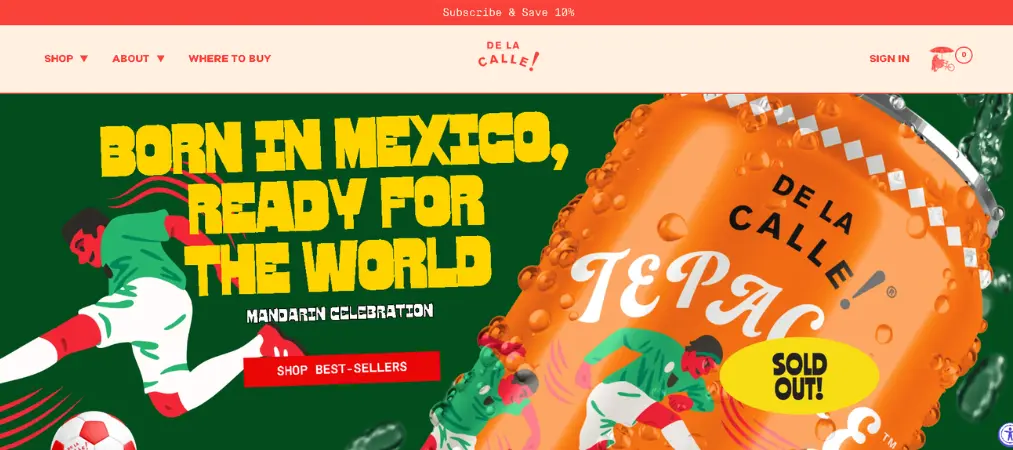
De La Calle! is a Mexican soda brand that uses vivid colors, bold custom typography, and high-quality product photography to immediately draw visitors in. The above-the-fold experience is packed with visual energy — yet the CTA hierarchy remains crystal clear.
What to borrow:
- Lead with your most energetic brand color in the hero section
- Use a custom typeface to differentiate your headlines
- Make your value proposition visible before the first scroll
2. Bite Toothpaste
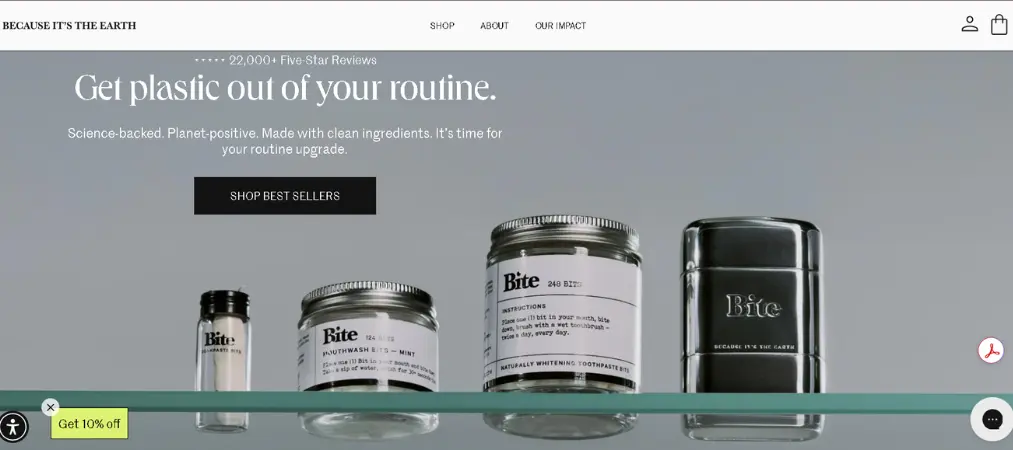
Bite disrupts the dental care category with a website that feels more like a wellness brand. The homepage hero ties the product’s ecological mission to its visual identity — earthy photography, natural tones, and a clean layout that communicates trust.
What to borrow:
- Let your brand values drive your color and imagery choices
- Give product photos over 50% of above-the-fold real estate
- Show the product in use to reduce buyer hesitation
3. Nugget
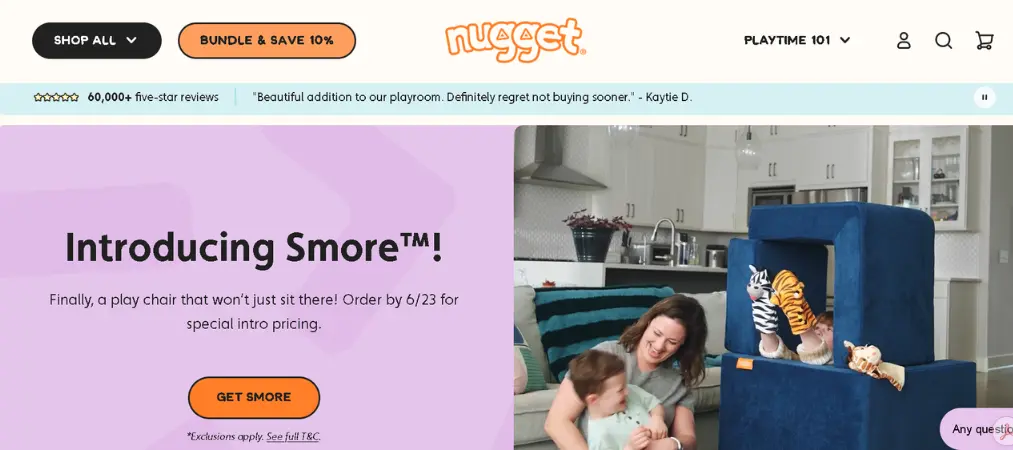
Nugget sells modular play furniture for kids — and the website looks like it was designed for them too. Custom illustrations, bright colors, and patterned backgrounds echo the playful energy of the product. The sticky navigation makes browsing effortless for busy parents.
What to borrow:
- Match your design aesthetic to your target audience’s mindset, not just your product
- Use original illustrations to create a brand world no competitor can replicate
- Always add a sticky nav for product-heavy stores
4. Magic Spoon
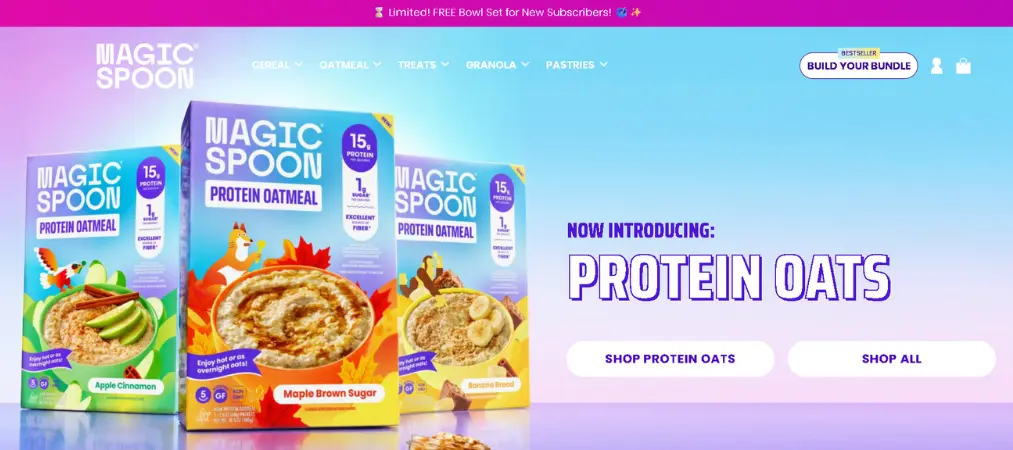
Magic Spoon sells healthy cereal that tastes like the sugary kind you loved as a child — and the website leans hard into nostalgia. Animated cereal pieces float across the page, gradients replace flat colors, and the whole experience feels dynamic and playful.
What to borrow:
- Subtle animations can reinforce your brand personality without sacrificing load speed
- Use color gradients instead of flat blocks to create visual movement
- Let your USP (unique selling proposition) guide every design decision
5. Snacklins
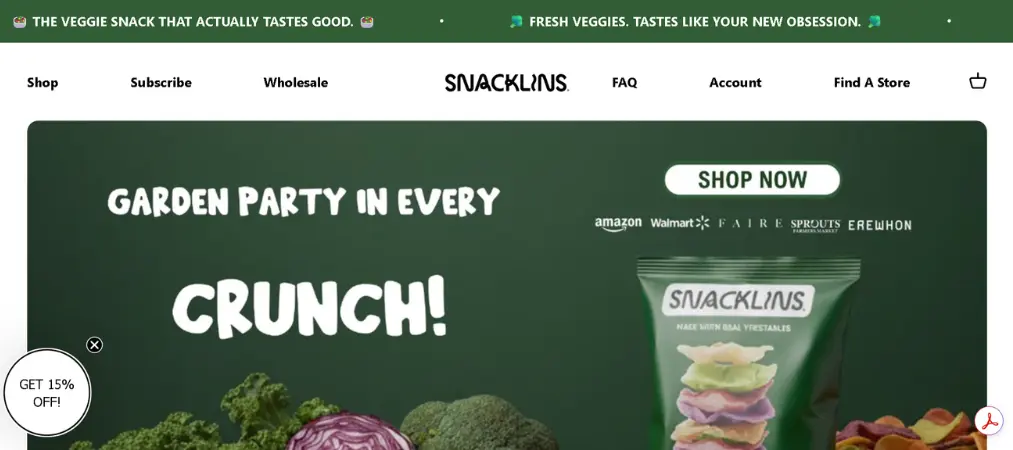
Snacklins is bold without being chaotic. Large product sections alternate with clean product grids, giving shoppers both the emotional hook and the practical overview they need to make a purchase. The distinct logo and wordmark carry brand recognition across every page.
What to borrow:
- Use a product grid lower on the homepage so visitors can browse at a glance
- Layer text and graphic elements over product photography for a rich visual effect
- Give each product its own accent color to aid recall
6. Great Jones
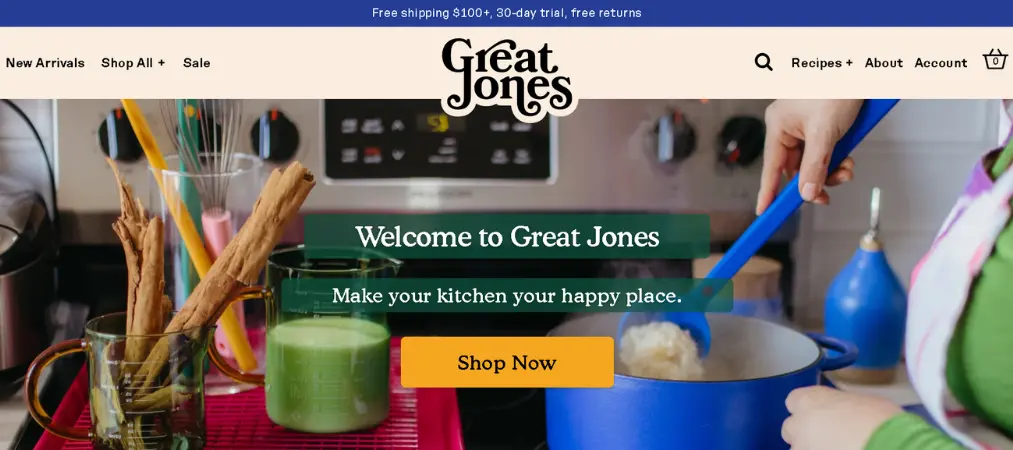
Great Jones sells colorful cookware, and the website reflects that vibrancy through consistent use of color, font, and an announcement bar that highlights seasonal promotions. The font used in the logo is carried through every heading — a simple trick that creates remarkable brand cohesion.
What to borrow:
- Carry your logo font into your heading styles for instant visual consistency
- Use a contrasting announcement bar to spotlight time-sensitive offers
- Use transparent product photo backgrounds to keep pages clean
7. Couplet Coffee
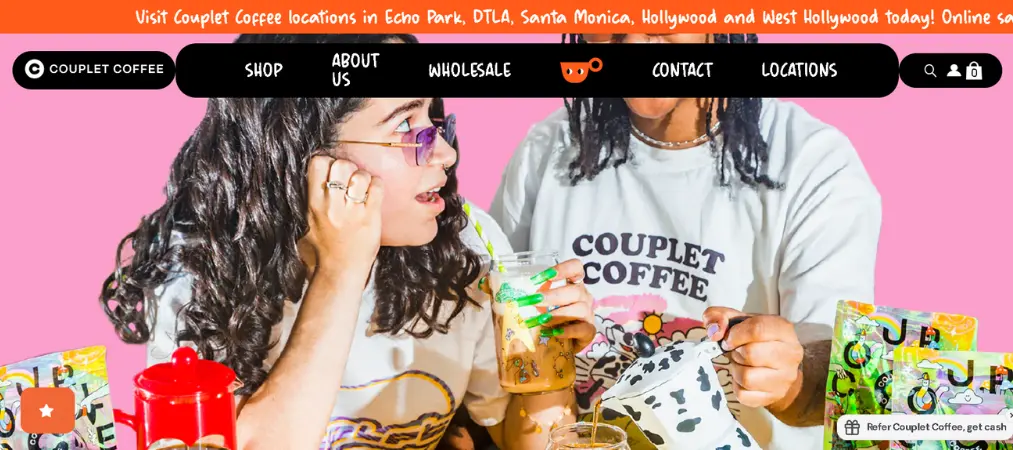
Couplet Coffee takes a maximalist approach — hand-drawn squiggles, comic-style illustration, and bright colors — yet the experience never feels overwhelming. An announcement bar alerts customers to stock updates, while the sticky nav keeps navigation smooth.
What to borrow:
- Maximalism works when visual elements share a consistent style
- Use a ticker bar to communicate urgency (back-in-stock, flash sales, free shipping)
- Lean into your brand’s personality instead of defaulting to generic design
8. Everlane
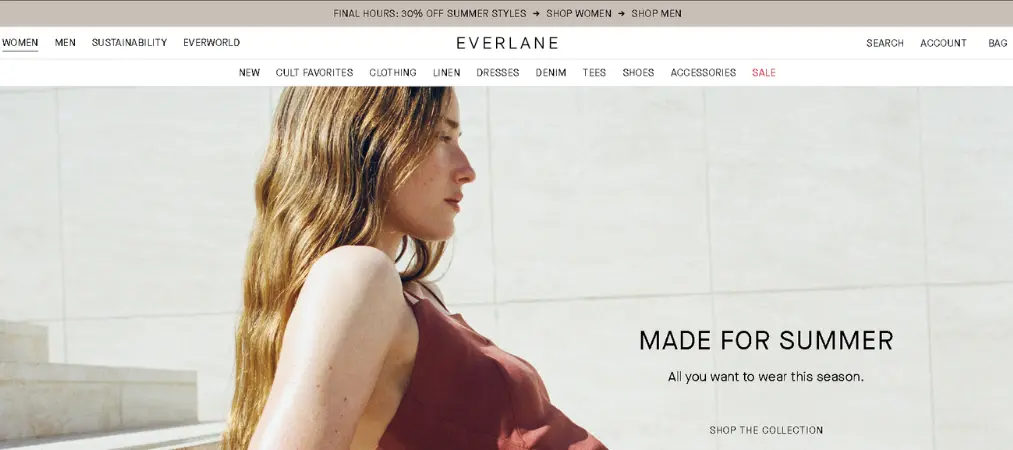
Everlane built its brand on transparency and sustainability, and the website reinforces that at every touchpoint. The minimalist design — white space, muted tones, clean typography — signals the same values as the brand itself. Hero videos showcase campaigns in place of static images.
What to borrow:
- Let your brand values inform your visual choices, not just your copy
- Use homepage hero videos to showcase new campaigns or seasonal collections
- Make your sustainability or mission story easy to find from the homepage
9. Hardgraft
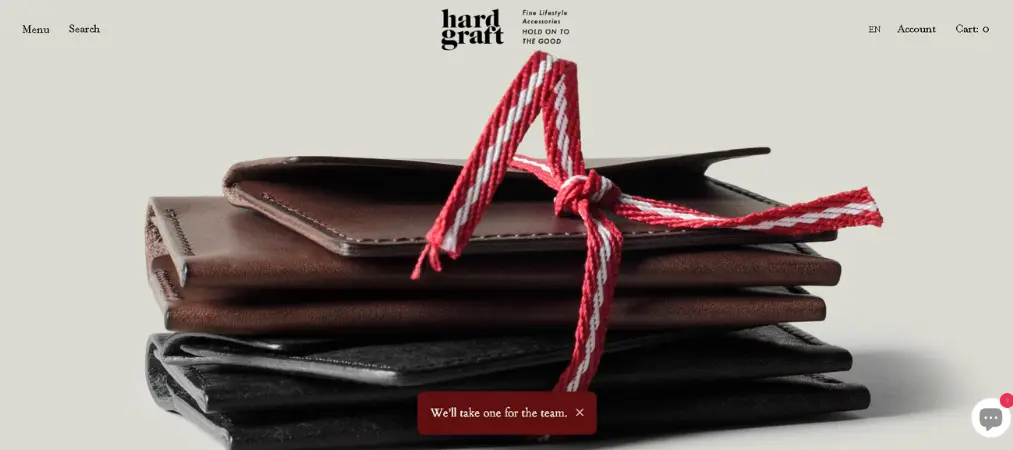
Hardgraft sells premium leather goods, and the website looks and feels as artisanal as the products. A founder’s note at the top of the page immediately establishes authenticity. Photography is restrained and precise — every image earns its space.
What to borrow:
- A personal note from the founder adds human credibility to premium brands
- Don’t over-design: sometimes white space and great photography say more than graphics
- Mix serif and sans-serif fonts in your nav to create visual texture
10. FreshCap
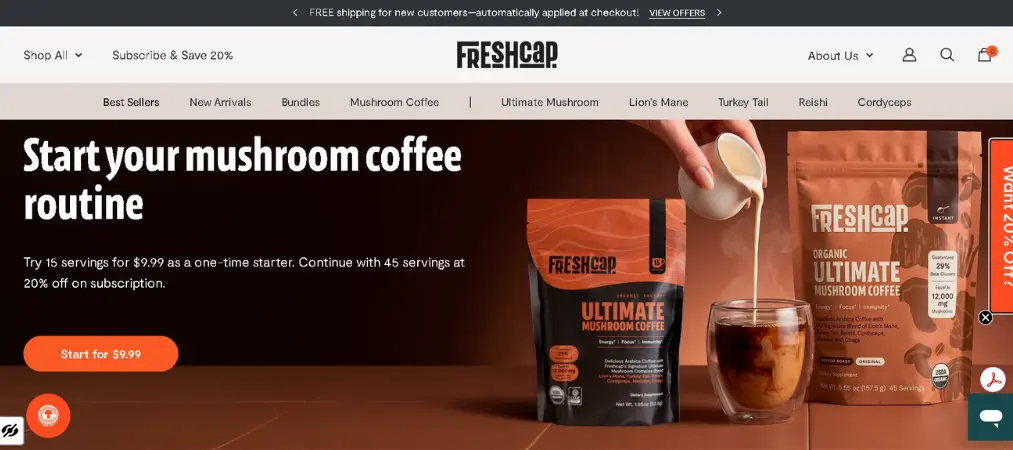
FreshCap sells mushroom supplements and uses its website to educate as well as sell. Custom graphics break down the science behind each product, while stunning nature photography builds desire. The educational approach is particularly effective when you’re in a new product category.
What to borrow:
- If your product needs explaining, make education a design feature — not an afterthought
- Use infographic-style graphics to communicate complex benefits quickly
- High-quality nature photography can elevate a wellness brand significantly
11. Who Gives a Crap
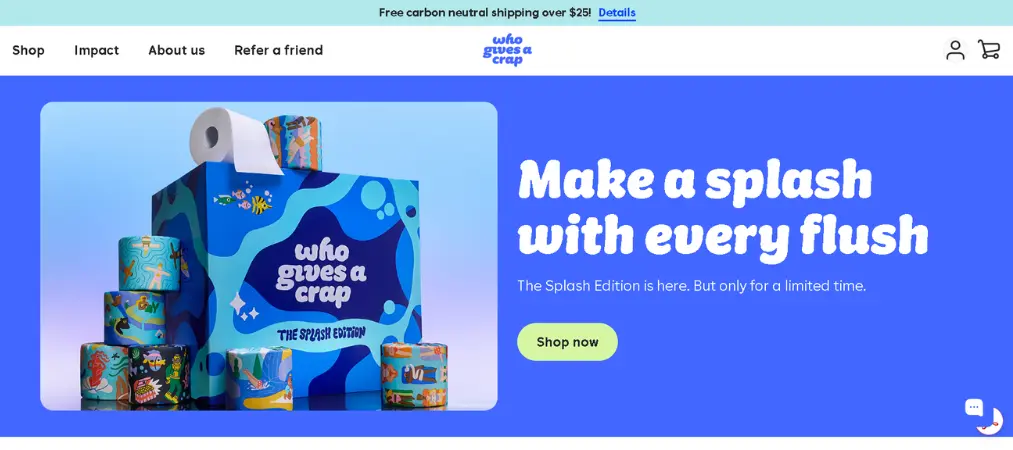
Who Gives a Crap proves that even toilet paper can have a brand identity worth talking about. Bold contrasting colors, playful shapes (clouds, circles, hearts used as text containers), and an unmistakable personality make this store genuinely fun to browse.
What to borrow:
- Your brand voice should extend into your design shapes and layout choices
- Highlight your social or environmental mission in multiple places — not just the About page
- Bundle deals and high-value promotions work well in a hero position
12. Ugmonk
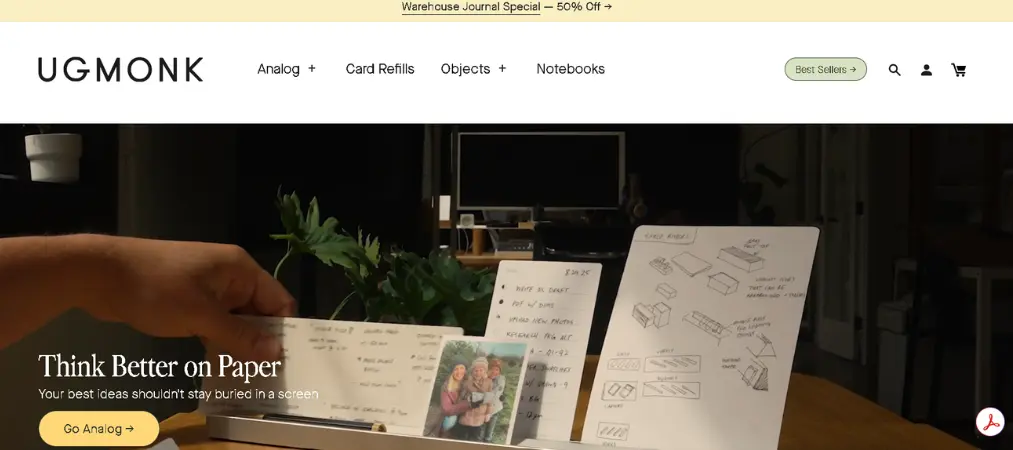
Ugmonk creates thoughtfully designed products for focused work, and the website mirrors that philosophy. Neutral backgrounds, generous white space, and user-generated video content let the products speak for themselves.
What to borrow:
- Resist the urge to fill every pixel — white space is a design tool
- User videos showing your product in real-life context build purchase confidence
- A complementary color palette signals premium quality more effectively than bold colors
13. LEIF
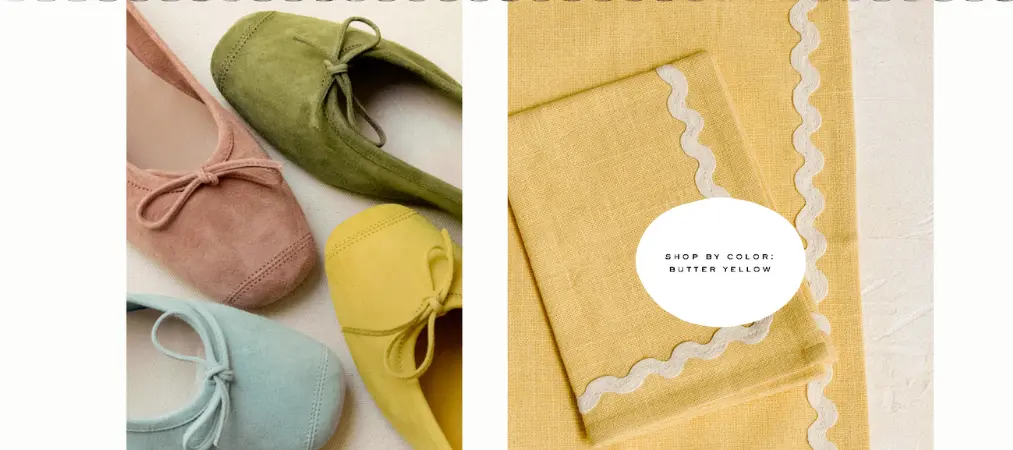
LEIF curates home and lifestyle products, and the website’s hand-drawn logo, eclectic typography, and varied image shapes create a browsing experience that feels like exploring a carefully curated boutique. Products from different brands feel cohesive under a unified visual theme.
What to borrow:
- Use a clear visual theme to unify diverse products or collections
- Experiment with image crops and orientations (oval, angled, rectangular) for visual interest
- A hand-crafted logo style signals uniqueness and creative curation
14. Haus
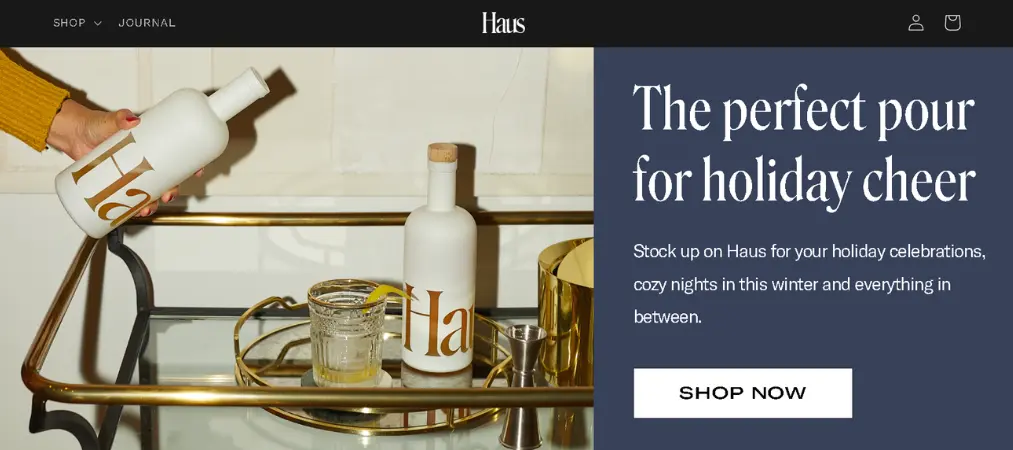
Haus sells aperitifs with a sense of sophistication and warmth. A recurring arch-shaped background element behind product shots creates subtle, distinctive branding across every page. Press coverage and customer reviews are featured prominently, lending immediate credibility.
What to borrow:
- Develop one signature design element (like an arch or frame) and repeat it consistently
- Social proof through press mentions amplifies credibility for newer brands
- Warm photography of people enjoying your product conveys the lifestyle it enables
15. Noon
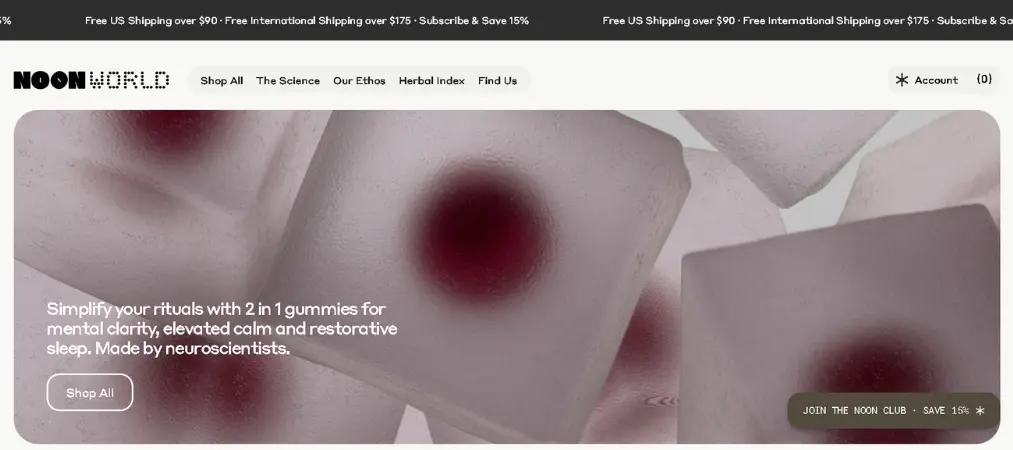
Noon uses a dark color palette, dramatic product photography, and icon-based visual layers to create an immersive, moody experience that perfectly matches the brand’s mushroom-based product line.
What to borrow:
- Dark backgrounds make certain product photography dramatically more impactful
- Combine icons, graphics, and photography for a layered visual hierarchy
- A single strong color palette can anchor a brand more effectively than many colors
Core Principles of a Beautiful Shopify Website
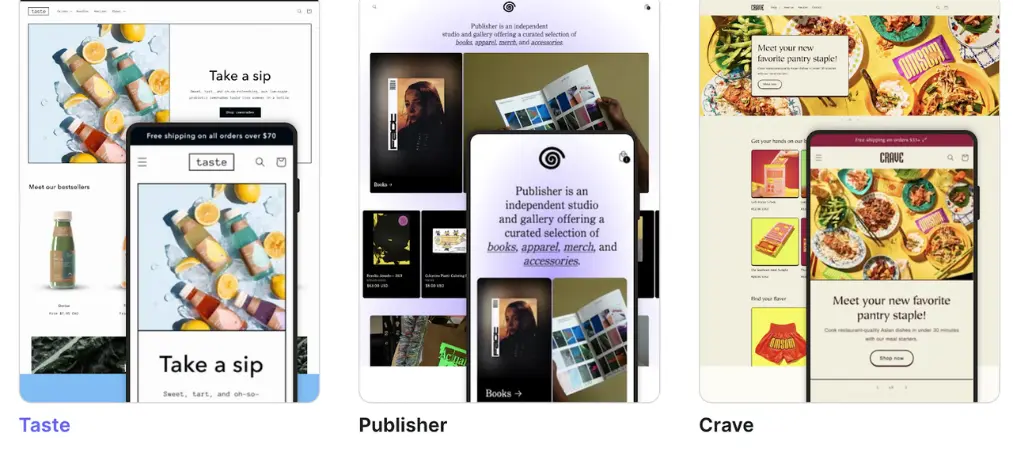
The best Shopify website designs aren’t beautiful by accident. They’re built on a foundation of intentional decisions. Here are the principles that separate high-performing stores from forgettable ones:
Visual hierarchy — Every page should guide the visitor’s eye in a deliberate sequence: from the headline, to the supporting visual, to the call-to-action. If everything competes for attention, nothing wins.
Consistency — Your fonts, colors, spacing, and imagery style should feel unified across every page. Consistency signals professionalism and builds subconscious trust.
Accessibility — A great design is one that works for everyone. Use sufficient color contrast, descriptive alt text on images, and legible font sizes. An accessible store reaches more customers and performs better in search.
Speed — A visually stunning store that loads slowly will lose customers before they see a single product. Optimize image sizes, limit heavy scripts, and choose a theme built for performance.
Mobile-first thinking — The majority of ecommerce traffic now comes from mobile devices. Design your store for small screens first, then scale up — not the other way around.
Purposeful simplicity — More isn’t always better. Every element on a page should earn its place. If removing something doesn’t hurt the experience, remove it.
Shopify Website Design Trends Worth Knowing
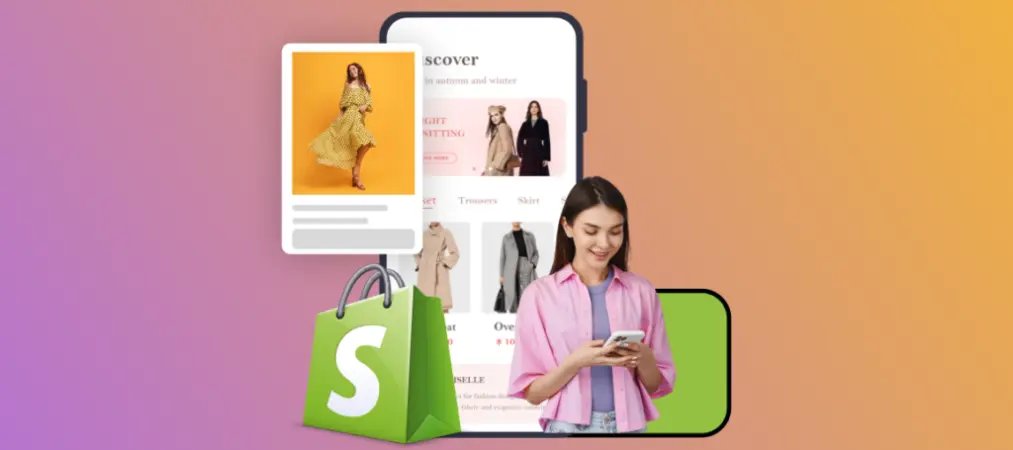
Staying current with design trends helps your store feel modern and trustworthy. Here’s what’s defining standout Shopify website design right now:
Expressive typography — Custom and oversized fonts are replacing safe, generic typefaces. Your heading font is a branding opportunity, not just a readability choice.
Motion that means something — Subtle animations (floating elements, scroll-triggered transitions) add personality without distracting from the buying experience.
Editorial-style photography — Lifestyle imagery shot from unexpected angles, dramatic lighting, and film aesthetics are replacing sterile white-background product shots.
Sustainability signals — Customers expect brands to communicate their values. Impact reports, mission statements, and donation highlights are moving from About pages to homepages.
Social proof integration — Reviews, UGC (user-generated content) videos, press logos, and expert endorsements are woven into the design — not buried in a footer tab.
How to Design a Shopify Website: A Practical Starting Point
Ready to design a website on Shopify of your own? Here’s how to approach it strategically:
1. Start with your brand identity Before touching any design tool, define your brand colors, fonts, and the feeling you want customers to have. Your design should flow from your identity — not the other way around.
2. Choose the right Shopify theme Shopify’s Theme Store offers free and paid themes built for performance and conversion. Choose one that aligns with your industry and product type. You can customize it extensively without touching code.
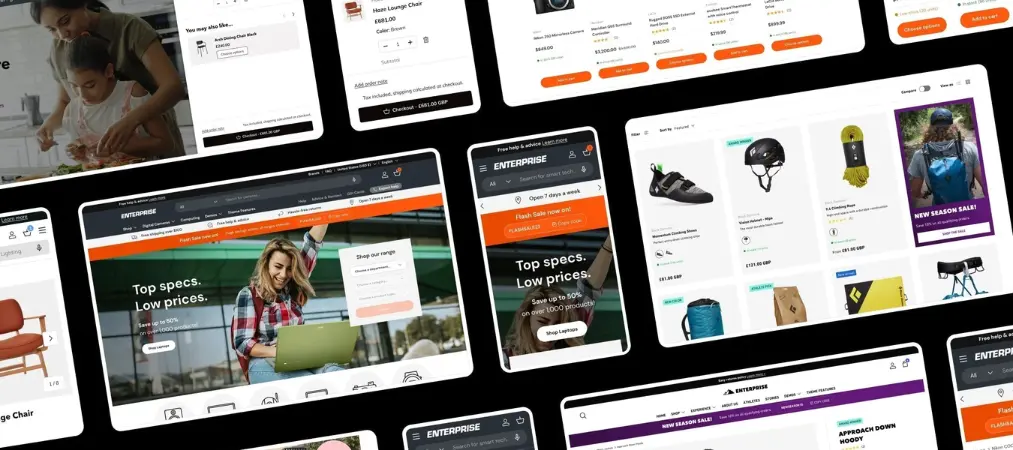
3. Prioritize above-the-fold clarity Your homepage hero should immediately communicate who you are, what you sell, and why someone should care — before the first scroll. Clear headline, supporting visual, one strong CTA.
4. Build for mobile first Over 70% of ecommerce traffic is mobile. Preview every page on a phone screen before publishing. Shopify’s editor makes mobile previewing straightforward.
5. Use high-quality photography Nothing undermines a good design faster than low-quality images. Invest in professional photography or, at minimum, use a clean background and good natural lighting.
6. Add social proof strategically Place reviews, testimonials, and press features close to your CTAs — not just on a dedicated page. Trust signals should appear wherever a visitor might hesitate.
For a deeper look at tools that support your store’s back-end operations alongside your design, check out this guide on the best order printer apps for Shopify — because a great customer experience doesn’t stop at the storefront.
7. Keep navigation simple Aim for a maximum of 5–6 top-level navigation items. If a visitor can’t find something in two clicks, you’re losing sales.
8. Test and iterate Use Shopify Analytics and tools like Google Search Console to monitor performance. Great Shopify website design is never finished — it evolves based on what your customers actually do.
FAQ: Designing a Website on Shopify

Can I design a Shopify website without any coding experience? Yes. Shopify’s visual editor and theme system are built for non-developers. You can customize colors, fonts, layouts, and content through a drag-and-drop interface. If you want deeper customization, Shopify’s Liquid templating language is accessible for beginners, or you can hire a Shopify Partner.
How much does it cost to design a website on Shopify? Shopify plans start at $39/month (Basic). Free themes are available, or premium themes range from $150–$380 as a one-time cost. You can also hire a designer from the Shopify Experts marketplace if you want a fully custom build.
What makes a Shopify website design convert well? The highest-converting Shopify stores share a few traits: clear value propositions above the fold, frictionless navigation, prominent social proof, fast load times, and mobile-optimized layouts. Beautiful design supports conversion — but usability drives it.
How long does it take to design a Shopify website? A basic store using a pre-built theme can be live in a few days. A custom-designed store built from scratch can take 4–12 weeks depending on complexity. Most merchants launch a working store quickly and refine the design over time.
Is it worth hiring a professional to design a Shopify website? For brands where design is a key differentiator — fashion, beauty, premium goods — professional design pays off. For most early-stage stores, starting with a quality Shopify theme and upgrading once you’ve validated your product is the smarter financial move.
Build Your Own Standout Shopify Store
If you’re also looking to streamline how you handle invoices and order documents after launch, this PDF invoice app user guide walks you through everything you need to get your backend running as smoothly as your storefront looks.
The 15 stores above prove that great Shopify website design isn’t about budget — it’s about clarity, consistency, and a deep understanding of your customer. Whether you lean into bold maximalism or quiet minimalism, the best-performing stores have one thing in common: every design choice serves both the brand and the buyer.
Ready to take your Shopify store to the next level? Pair a great design with the right tools. Vify Order Printer helps you create professional, branded invoices and packing slips that match the polished experience your customers expect from the moment they land on your store to the moment their order arrives at their door.