Table of Contents
Shopify powers millions of online stores worldwide — but visibility on Google is never guaranteed just because your store is live. With thousands of merchants competing in the same space, Shopify search engine optimization is what separates stores that grow organically from those that rely entirely on paid ads.
Getting SEO for Shopify right takes more than guesswork. It requires a clear strategy, consistent execution, and an understanding of how search engines evaluate your store. This guide covers everything you need to know — from the basics to the common pitfalls and the practical steps that drive real results.
Table of Contents
What Is SEO and Why Does It Matter for Your Store?
Search engine optimization is the process of improving your website so it ranks higher in search results and attracts organic traffic without paying for every click. Every Shopify store, no matter how unique, competes against other pages for the same search real estate.
A strong ranking means your store keeps pulling in visitors consistently — even while you sleep. But if a competitor has better-optimized pages, their store will appear first when shoppers search for products like yours, and that traffic goes to them instead of you.
The Core Principle Behind SEO
At its foundation, SEO for Shopify is about matching your content to what your customers are actually searching for. This means identifying keywords with meaningful search volume, ideally with manageable competition, and aligning your pages to the intent behind those searches.
For example, if your store sells handmade leather wallets, your product pages should show up when someone searches “handmade leather wallet for men” — not just “wallet.” And if someone searches “how to care for a leather wallet,” a helpful blog post would be a better match than a product page. Understanding search intent is what makes shopify seo optimization work long-term.

Common SEO Pitfalls Unique to Shopify
Shopify is built with a lot of SEO-friendly defaults, but as a closed platform it comes with limitations that store owners need to know about.
Restricted Platform Flexibility
You cannot freely edit your sitemap in Shopify, and there are constraints around structured data and schema markup. This limits how much detail Google can pick up about your products — for instance, it may read the name and price but miss attributes like size or color variants.
Duplicate Pages from Product Variants
When products have multiple variations, Shopify sometimes generates separate URLs for the same item, creating duplicate content. If two different URLs compete for the same keywords, search engines struggle to decide which one to rank. The fix is using canonical tags — telling Google which URL is the “main” version so it only indexes and ranks that one.
URLs That Are Longer Than Ideal
Shopify’s URL structure relies on subfolders like /products/ and /collections/, which makes URLs longer than most SEO practitioners prefer. You cannot remove these subfolders, but you can keep the slug — the part after the subfolder — as short and keyword-relevant as possible.
8 Proven Ways to Improve SEO for Your Shopify Store
Every online store, whether it runs on Shopify or another platform, is fighting for a spot on Google’s first page. Here are eight strategies that make a real difference.
1. Set Up a Clean, Logical Store Structure
A well-organized store is easier for both customers and search engines to navigate. Pages should be intuitive and accessible — shoppers should never feel lost trying to find what they came for.
The most effective structure for search engine optimization Shopify stores can use is straightforward: Home Page → Collection Page → Product Page. Keep it shallow. The fewer clicks it takes to reach a product, the better the experience — and the stronger the SEO signal.
Internal linking matters here. Google uses the number and quality of internal links to understand which pages on your site are most important. Link to your key collection pages from your homepage, and link between related products and blog posts using descriptive anchor text. Strong internal linking is one of the most underused tactics in SEO for Shopify store owners.
Also ensure your navigation is clear. Use simple, recognizable labels. Include a search bar and easy access to your About and Contact pages — these build trust with both visitors and search engines.
2. Find the Keywords Your Customers Are Actually Using
Shopify search engine optimization lives and dies by keyword research. You need to know the exact phrases your target buyers type into Google, then make sure those phrases appear naturally throughout your store.

Here are the most effective ways to find the right keywords:
- Think from the buyer’s perspective. What would you search if you needed your own product? Start there and expand outward.
- Study social media. Browse hashtags and product descriptions on Instagram, TikTok, and Pinterest to see the language real customers use.
- Analyze competitors. Look at the titles, headings, and meta descriptions of stores that outrank you. What keywords are they targeting?
- Use SEO tools. Free options like Google Search Console and Google Trends give solid insights. Paid tools like Semrush or Ahrefs go deeper — showing search volume, keyword difficulty, and ranking gaps you can exploit.
Map each keyword to a specific page. One keyword focus per page keeps your SEO for Shopify store clean and avoids competing against yourself.
3. Make the Shopping Experience Work for Every Visitor
User experience is a ranking factor, not just a design concern. Google tracks signals like time on site, bounce rate, and page engagement — all of which reflect how well your store serves its visitors.
Make sure your store looks and performs well across all screen sizes. A significant portion of shoppers browse on mobile, and a poorly optimized mobile experience will hurt both your conversions and your rankings. Use a responsive Shopify theme that loads quickly and keeps visitors engaged. The longer someone spends on your site, the stronger the signal you send to search engines.
4. Speed Up Your Store — Every Second Counts
Page speed is a direct Google ranking factor, and slow stores lose both rankings and sales. A visitor who waits more than a few seconds for a page to load will often leave before it finishes.
To improve your Shopify store’s loading speed:
- Select a lightweight, performance-optimized theme
- Compress all images before uploading — large image files are the most common cause of slow load times
- Only install apps you actively use; every unnecessary app adds script weight to your pages
- Avoid auto-playing sliders or carousels, which are notoriously heavy on load times
Run your store through Google PageSpeed Insights regularly to catch issues before they compound.

5. Start a Blog and Publish Content That Solves Real Problems
A blog is one of the most powerful tools available for SEO for Shopify — yet many store owners skip it entirely. Blog posts let you rank for informational keywords that your product pages cannot target, and they pull in shoppers at every stage of the buying journey.
Shopify includes a built-in blogging tool under Online Store → Blog Posts. Use it. Build a content calendar around the questions your customers ask most, the problems your products solve, and the topics your niche searches for.
💡 For more tips on building a professional store that converts, check out our complete Shopify website builder guide — covering everything from setup to store design best practices.
6. Polish Every Product Listing
Your product descriptions are your silent sales team. They work around the clock to convince browsers to become buyers — and when optimized correctly, they help search engines surface your products to the right audience.
What separates a strong listing from a weak one:
- Lead with benefits, not specs. Shoppers want to know how a product improves their life, not just what it is made of.
- Write like a human. Avoid jargon. Use a natural, conversational tone that matches how your audience actually speaks.
- Stay concise and scannable. Use short paragraphs, bullet points, and an active voice. Attention online is limited.
- Add social proof. Highlight reviews and star ratings near the top of the page — they build immediate trust.
- Place keywords naturally. Work your target terms into the title, description, and alt text without forcing them.
- Use strong visuals. Multiple high-quality images from different angles reduce hesitation and increase conversions.
Bonus tip: AI tools like ChatGPT can help you brainstorm product description angles quickly. Always rewrite the output in your own voice before publishing.

7. Write Page Titles and Meta Descriptions That Drive Clicks
Ranking on page one is only half the battle. If your title and meta description do not compel someone to click, that ranking is wasted.
Shopify auto-generates these fields, but auto-generated defaults are rarely optimized. Go into each product, collection, and blog post and write custom versions. Find the field under Search Engine Listing Preview on each page.
For titles: lead with your primary keyword, stay under 60 characters, and make the value clear. For meta descriptions: write a plain-language summary with a soft call to action, staying under 160 characters. Think of these as mini ads — they should make someone choose your result over the others on the page.
8. Build Backlinks the Right Way
Backlinks — links from other websites pointing to yours — remain one of the strongest signals Google uses to rank pages. They tell search engines that other people find your content trustworthy and worth referencing.
Effective ways to earn backlinks for your Shopify store:
- Create genuinely useful content. Guides, tutorials, and original data naturally attract links.
- Guest post on niche blogs. Writing for established sites in your industry earns you a backlink and exposes your brand to a new audience.
- Reach out to product reviewers and influencers. A single review from a well-followed creator can generate both links and direct traffic.
- Find unlinked mentions. Use Google Alerts to track when your brand is mentioned online without a link, then contact the site owner and ask them to add one.
- Fix broken links. Find broken links on relevant sites that point to discontinued products similar to yours, and suggest your page as a replacement.
Never purchase backlinks. It violates Google’s guidelines and can result in a manual penalty that tanks your entire site’s visibility.

What Are the Best SEO Tools for Shopify?
Having the right tools makes shopify seo optimization significantly easier and more effective. Here is a closer look at the tools worth adding to your workflow — from free essentials to powerful paid platforms.
Google Search Console (Free)
Key features:
- Monitors which search queries drive traffic to your store
- Checks which pages are indexed by Google
- Flags crawl errors and technical SEO issues
- Allows you to submit your sitemap directly to Google
Google Analytics (Free)

Key features:
- Tracks visitor behavior after they land on your store
- Shows which pages get the most engagement and which cause drop-offs
- Measures conversion rates and traffic sources
- Helps you understand which SEO efforts are actually driving sales
Semrush / Ahrefs (Paid)

Key features:
- In-depth keyword research with search volume and difficulty scores
- Backlink analysis to see who is linking to you and your competitors
- Competitor tracking to identify ranking gaps you can exploit
- Site audit tools that surface technical SEO issues across your entire store
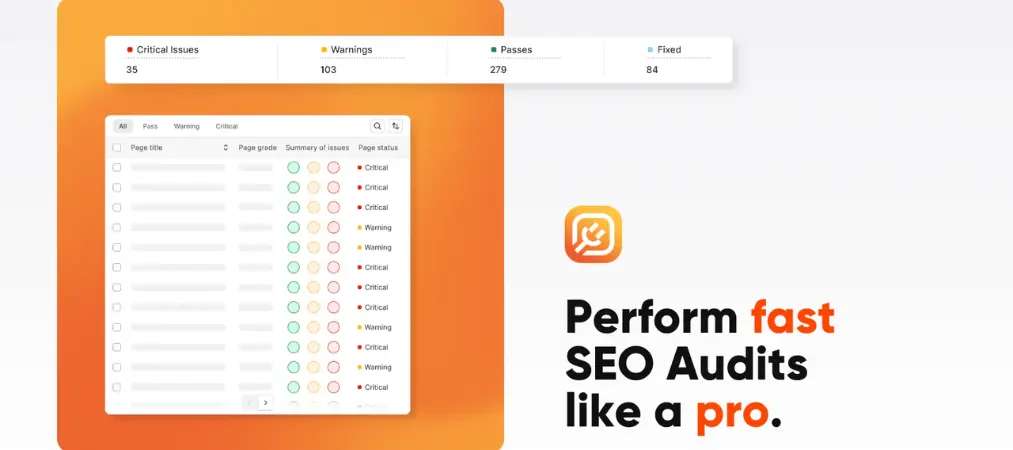
Plug In SEO (Shopify App)
Key features:
- Scans your store for common SEO issues automatically
- Provides step-by-step guidance to fix each problem
- Checks title tags, meta descriptions, headings, and image alt text
- Beginner-friendly with clear instructions for non-technical users
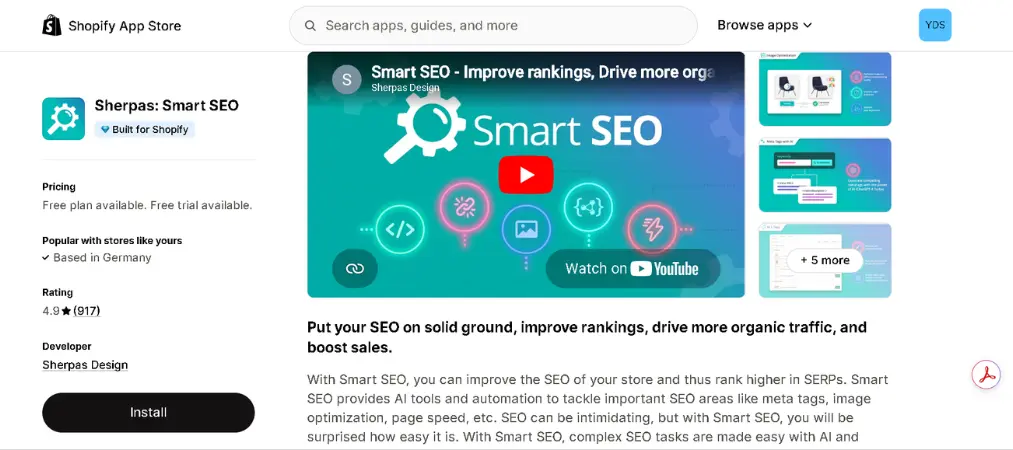
Smart SEO (Shopify App)
Key features:
- Automates meta tag generation for products and collections
- Fixes structured data and JSON-LD schema issues
- Supports multiple languages for international stores
- Saves time by handling repetitive SEO tasks in bulk
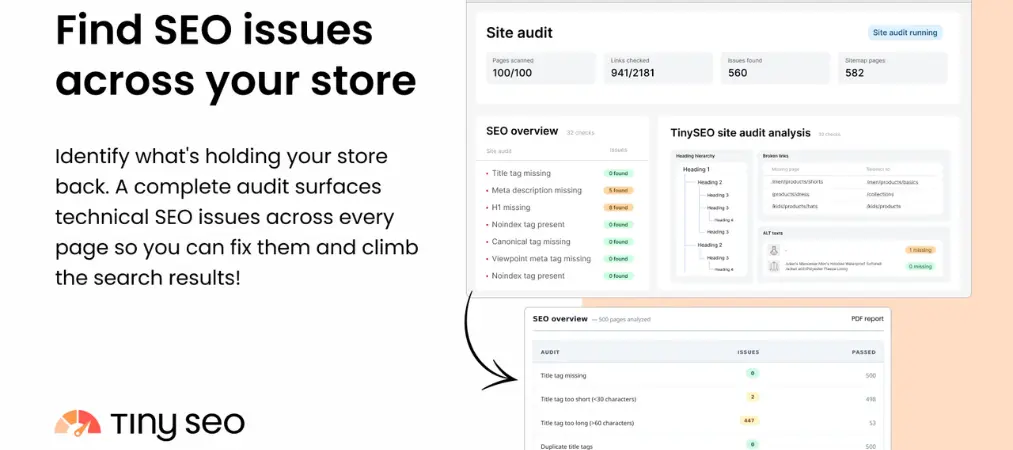
TinyIMG (Shopify App)
Key features:
- Automatically compresses images to reduce page load time
- Optimizes image alt text for better search visibility
- Fixes broken links that can hurt your store’s crawlability
- Provides a site speed report to track performance improvements
The best approach is to layer these tools together — use the free Google tools for monitoring and measurement, a paid research platform for competitive intelligence, and the Shopify-specific apps to automate the optimization tasks that would otherwise eat up hours of manual work.
Final Thoughts
Shopify search engine optimization is not a one-time project — it is an ongoing practice that builds momentum over time. Start with a clean store structure, target the right keywords, optimize every listing, publish useful content, and earn quality backlinks. Each step compounds on the last.
The stores that dominate search results are not necessarily the ones with the biggest budgets — they are the ones that are most consistent. Apply these strategies, track your progress in Google Search Console, and keep improving.
And once those customers start placing orders, make sure every transaction looks professional — Vify Shopify Order Printer app helps you automatically generate branded invoices that build trust long after the sale is made.