Table of Contents
A sold-out product page is one of the fastest ways to lose a sale you already had. The shopper found what they wanted, clicked in, and then hit a wall. Without a way to capture that interest, most of them simply leave and buy from whoever has it in stock.
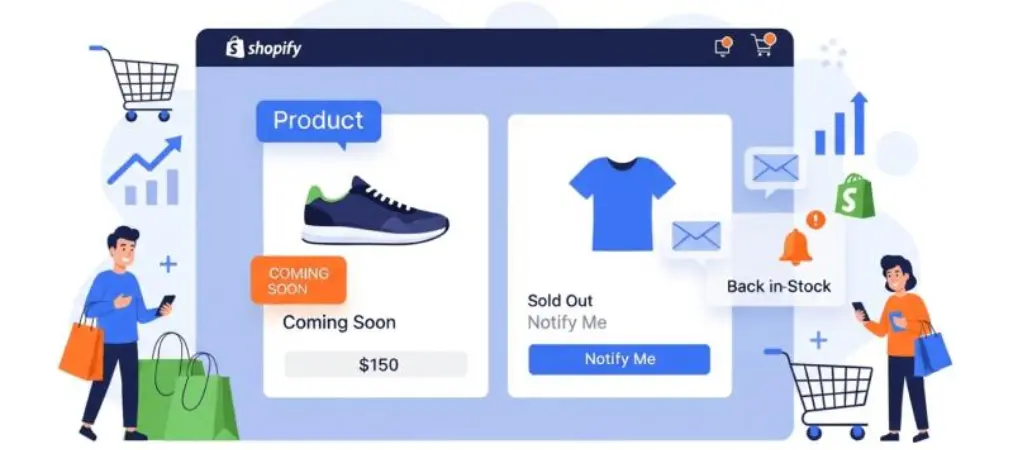
This is exactly what back in stock Shopify apps solve. Instead of showing a dead “Sold Out” label, you show a “Notify Me” button. The shopper leaves their email (or phone number), and the moment you restock, a Shopify app back in stock automatically fires off an alert so they can come back and finish the purchase. No manual spreadsheets, no guessing who wanted what.
Below, we break down what actually separates a decent back in stock app for shopify from a great one, then review the apps worth your time.
Table of Contents
Why Restock Alerts Matter More Than a “Sold Out” Badge
A basic out-of-stock message ends the conversation. A back in stock notification shopify setup keeps it going. A few reasons store owners lean on this category so heavily:
- It recovers demand you already paid to generate. The traffic that lands on a sold-out page came from ads, SEO, or social — that spend shouldn’t go to waste.
- It builds a waitlist you can actually read. Seeing that 200 people are waiting on a specific size or color tells you exactly what to reorder, and how much.
- It creates urgency without discounting. A waitlist is social proof — the item is popular enough that people are willing to wait for it.
- It re-engages shoppers with unusually high intent. These are people who already decided to buy; the alert is just removing the one obstacle (availability) in their way.
What to Look For in a Shopify Back in Stock App
Not every Shopify back in stock app is built the same way, and the differences show up the moment you actually restock. Before comparing individual tools, it helps to know which features matter most:
- Speed of delivery. Alerts should fire within minutes of a restock, not hours later — by then, shoppers may have already bought elsewhere.
- Variant-level tracking. Customers should be able to sign up for the exact size or color they want, not just the product as a whole.
- Flexible widget placement. The “Notify Me” button needs to work on product, collection, and even home pages without custom code.
- Batch sending. Releasing a popular restock to your whole list at once can sell it out again in minutes — staggered sends prevent that.
- Waitlist analytics. Demand data by product and variant should guide how much stock you reorder.
- Channel variety. Email is the default, but SMS and push notifications typically get opened faster.
- ESP integrations. If you already run Klaviyo, Mailchimp, or Omnisend, your alerts should sync into those flows rather than living in a silo.
Back in Stock Shopify Apps — Brief Comparison
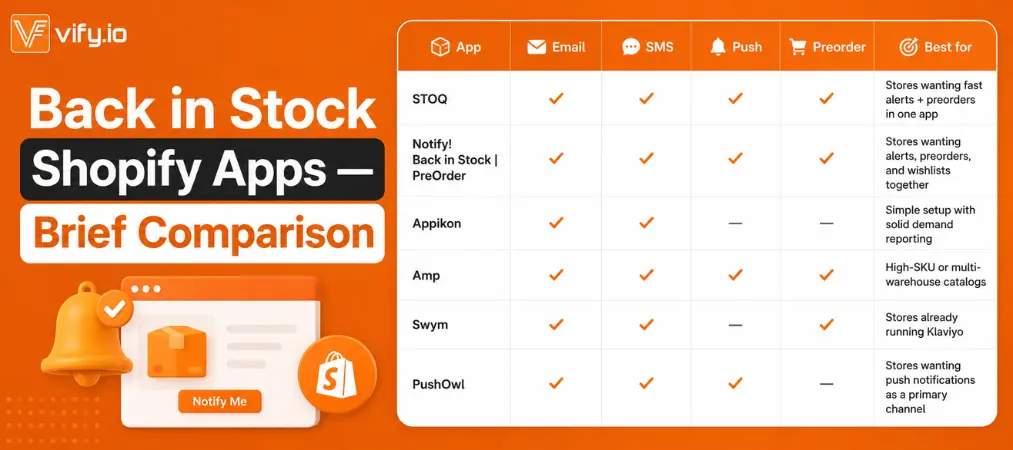
The Best Back in Stock Shopify Apps to Install
1. Preorder, Back In Stock ‑ STOQ
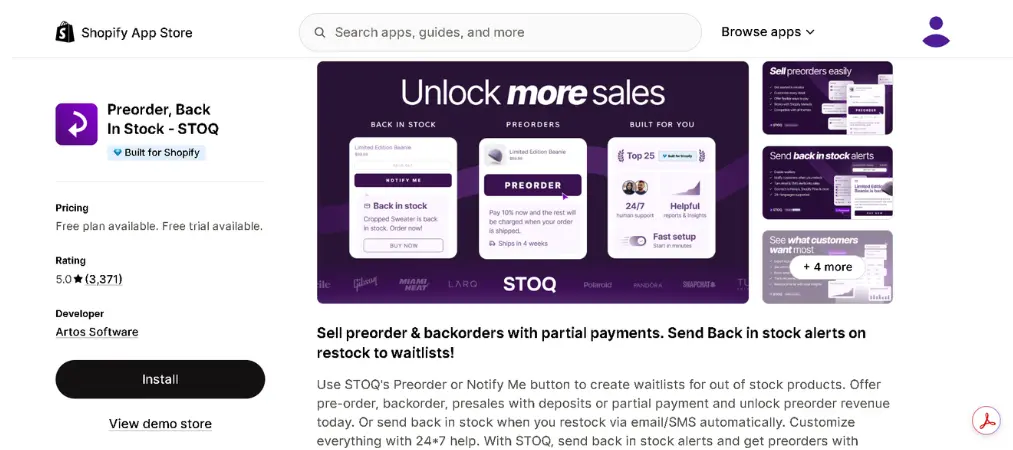
STOQ is built specifically around getting the “notify → restock → alert” loop right, with a strong focus on speed and demand visibility. It’s a solid pick for stores that want restock alerts plus the option to run preorders from the same app.
Pros
- Alerts fire almost immediately after inventory updates
- Clean analytics on who’s waiting for what
- 24/7 human support
Cons
- Some advanced automation sits behind paid tiers
- Newer player, so fewer third-party reviews than legacy apps
Key features: customizable “Notify Me” button, email/SMS alerts, variant-level tracking, batch sending, Shopify Markets support, built-in preorder and backorder options.
Shopify rating: ~5.0/5 (3,300+ reviews)
| Plan | Price |
|---|---|
| Free | $0/month |
| Starter | From ~$10/month |
👉 Try App
2. Notify! Back in Stock | PreOrder
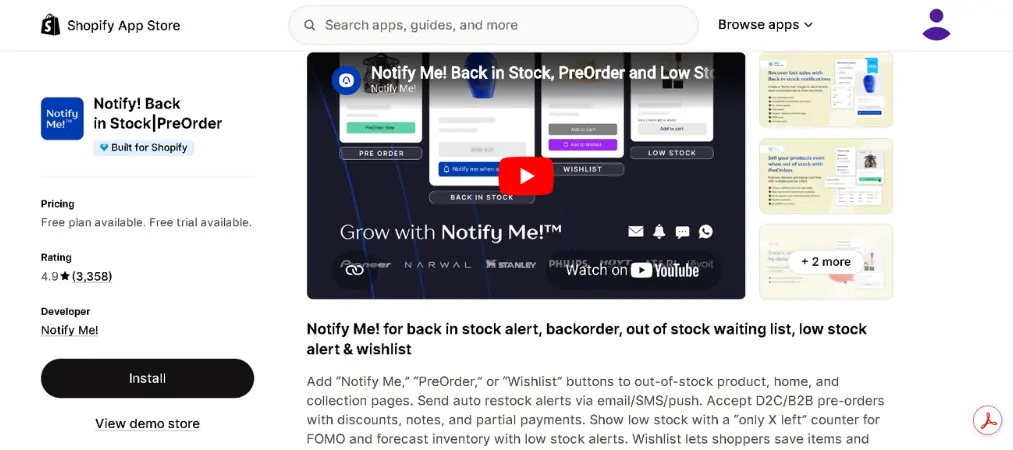
Notify! Back in Stock|PreOrder pairs restock alerts with preorder and wishlist tools in a single install, which is useful if you don’t want to run three separate apps for out-of-stock scenarios. It’s one of the more established names in this category, with a large review base.
Pros
- Combines back-in-stock, preorder, and wishlist in one app
- Multi-language widgets for global stores
- Strong live support, frequently praised in reviews
Cons
- More features means a steeper learning curve for simple use cases
- Higher-tier plans get pricey for very high SKU counts
Key features: SMS, WhatsApp, push, and email alerts; customizable signup forms; low-stock FOMO widgets; B2B and partial-payment preorder support.
Shopify rating: ~4.9/5 (3,000+ reviews)
| Plan | Price |
|---|---|
| Free | $0/month |
| Paid tiers | Up to ~$99/month |
👉 Try App
3. Appikon – Back In Stock
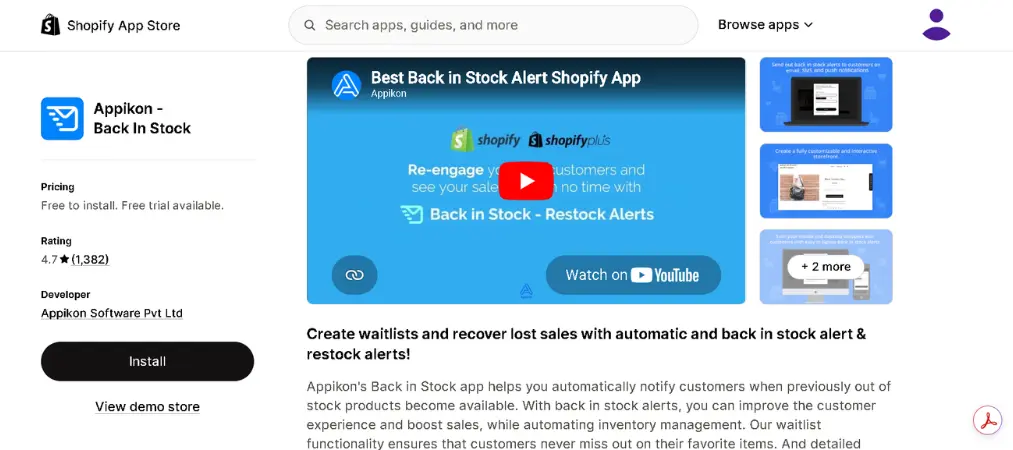
Appikon is one of the longest-running apps in this space and is popular with mid-sized stores that want dependable alerts without a complicated setup. Its reporting tools are a highlight for spotting demand trends before you reorder.
Pros
- Fast, no-code setup (usually under a couple of minutes)
- Solid demand-forecasting reports
- Wide integration list (Klaviyo, Mailchimp, Facebook Messenger)
Cons
- Occasional reports of delayed notifications during high-volume restocks
- SMS credits add to the monthly cost quickly
Key features: automated multi-channel alerts, customizable signup forms and emails, advanced demand analytics.
Shopify rating: ~4.7/5 (1,300+ reviews)
| Plan | Price |
|---|---|
| Free | $0/month |
| Paid tiers | From ~$19.99/month |
👉 Get App
4. Amp: Back in Stock & PreOrder+
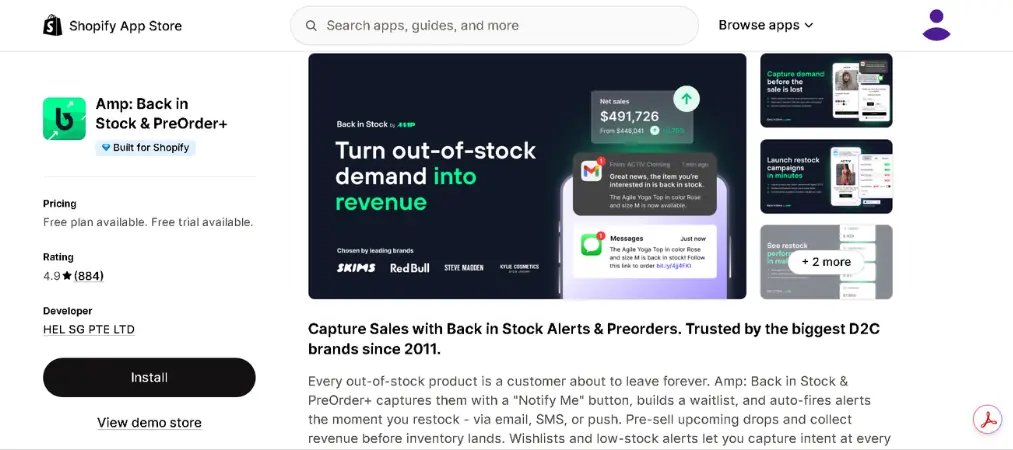
Amp is designed for higher-SKU catalogs and has been around since 2011, which shows in how well it handles multi-location inventory. It’s a good fit for stores with large or fast-moving catalogs.
Pros
- Handles high SKU volumes without slowing down
- Multi-warehouse and multi-language support
- Long track record with large brands
Cons
- Some customization options require contacting support rather than self-serve settings
- Free plan is limited in notification volume
Key features: instant email/SMS/push alerts, branded restock buttons, demand-trend tracking, Klaviyo/Mailchimp/Shopify Flow integrations.
Shopify rating: ~5.0/5 (3,300+ reviews)
| Plan | Price |
|---|---|
| Free | $0/month |
| Paid tiers | From ~$19/month |
🚀 Install Now →
5. Swym Back in Stock Alerts
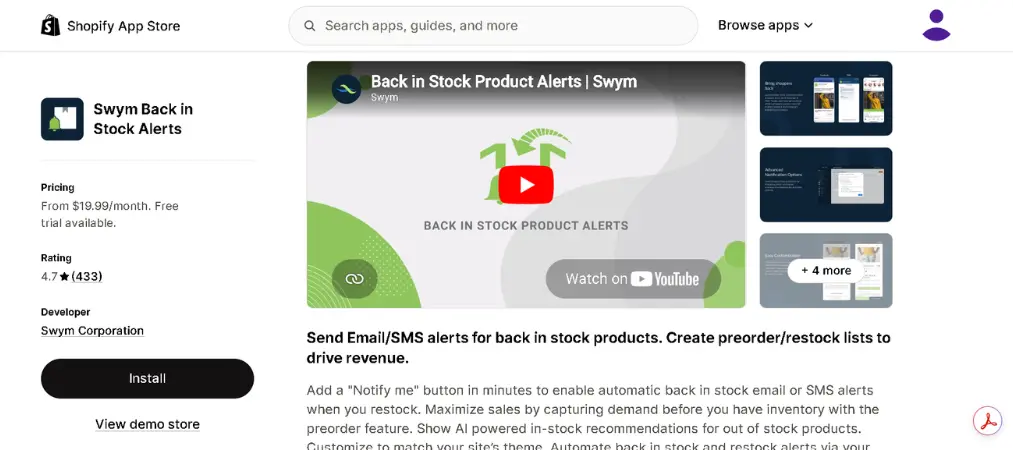
Swym leans toward brands that already use a broader marketing stack, since it plugs cleanly into Klaviyo and pairs well with Swym’s own wishlist product. AI-based “in stock” recommendations are a nice extra for stores with large catalogs.
Pros
- Strong Klaviyo/Omnisend integration
- AI-driven recommendations for out-of-stock items
- Fast theme-agnostic setup
Cons
- Entry-level paid plan is no longer as cheap as it once was
- Fewer standalone reviews than the biggest names on this list
Key features: variant-level subscriptions, preorder and “coming soon” alerts, Shopify POS staff sign-up, batch alert sending.
Shopify rating: ~4.7/5 (400+ reviews)
| Plan | Price |
|---|---|
| Free | $0/month |
| Paid tiers | Up to ~$99.99/month |
✅ Get App →
6. Brevo PushOwl: Email,Push,SMS
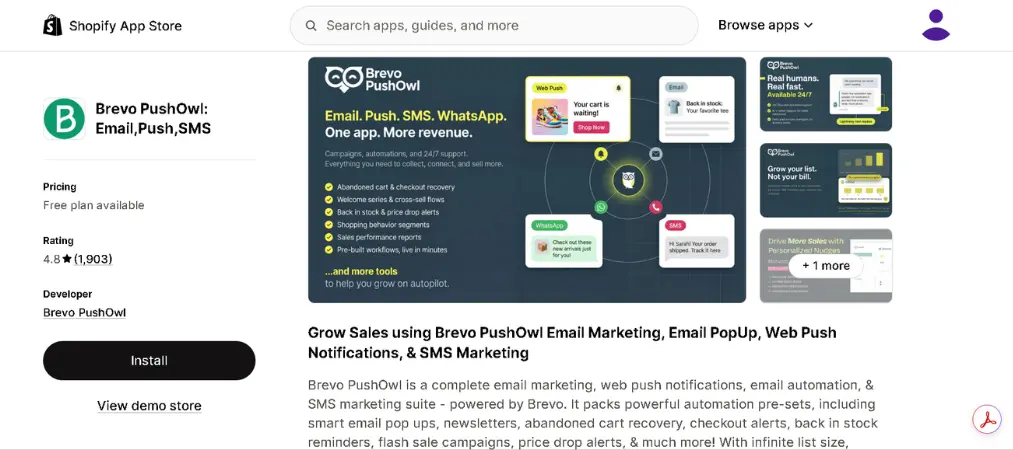
PushOwl takes a different angle: web push notifications instead of (or alongside) email. That matters if a chunk of your audience won’t hand over an email address but will click “Allow” on a browser prompt. It’s part of a broader marketing suite now owned by Brevo.
Pros
- Push notifications convert well since they need zero personal data upfront
- Bundled with email and SMS marketing tools
- Free tier is genuinely usable
Cons
- Advanced segmentation is locked behind higher-tier plans
- Dashboard sits partly outside the Shopify admin, which some merchants find clunky
Key features: web push back-in-stock alerts, abandoned cart automation, price-drop alerts, customizable opt-in prompts.
Shopify rating: ~4.8/5 (1,800+ reviews)
| Plan | Price |
|---|---|
| Free | $0/month |
| Paid tiers | From ~$19/month |
🚀 Install Now →
Choosing the Right App for Your Store
There’s no single “best” app here — it depends on how you sell. A small store with a handful of SKUs mostly needs fast, reliable email alerts and an easy setup. A larger catalog with frequent restocks benefits more from batch sending and demand analytics, so you don’t sell out again in the first ten minutes. And if preorders are already part of your strategy, picking an app that handles both back-in-stock and preorder in one install saves you from running two separate tools.
It’s also worth thinking about restock alerts as one piece of a larger retention strategy rather than a standalone fix. Pairing them with a customer loyalty program gives shoppers an extra reason to come straight back to you instead of price-shopping elsewhere once the item is available again. And if inventory swings are a recurring issue because you work with multiple suppliers, it’s worth reviewing your setup against a list of the best dropshipping apps for Shopify stores to see whether the stockouts are a sourcing problem rather than a marketing one.
Frequently Asked Questions
What is a back in stock Shopify app?
A back in stock Shopify app lets customers sign up for a notification on a sold-out product. Once you restock the item, the app automatically sends them an email, SMS, or push alert so they can come back and buy it.
Do I need a back in stock notification Shopify app if I already use Shopify’s default “Sold Out” tag?
Shopify’s built-in “Sold Out” label doesn’t capture customer interest or notify anyone when inventory returns. A dedicated back in stock notification shopify app replaces that dead end with a signup button, so you keep the lead instead of losing it.
Which back in stock app for Shopify is best for small stores?
For a smaller catalog, prioritize apps with fast setup and a usable free plan — Appikon, Swym, and PushOwl are good starting points before you need advanced automation.

Can a shopify app back in stock also handle preorders?
Yes. Several apps in this category — including STOQ, Notify! Back in Stock | PreOrder, and Amp — combine restock alerts with preorder functionality, so you can sell items before they’re technically back in stock.
Will a back in stock app slow down my store?
Reputable apps load their widgets asynchronously and are optimized for Shopify’s theme architecture, so the impact on page speed is minimal. Still, it’s worth checking your store speed after installing any new app.
How fast do restock alerts get sent after I update inventory?
This varies by app. Faster apps send within minutes of an inventory update, while others rely on scheduled syncs that can take longer. If speed matters to your business, check this specifically during a free trial before committing.
Final Thoughts
Every app on this list solves the same core problem — turning a dead-end “Sold Out” page into a second chance at the sale — but they get there in different ways. Start from your catalog size, your existing marketing stack, and whether preorders matter to you, then test the shortlist with your own restock cycle before committing to a paid plan.
Once customers come back and complete their purchase, make sure the rest of the order experience holds up too — clean, professional order documentation matters just as much as the alert that brought them back, which is where an app like Vify Shopify Order Printer app comes in handy for generating polished PDF invoices automatically.