Table of Contents
If you’ve been thinking about launching an online store, there’s never been a better time to start a business on Shopify. With over 5.5 million active stores worldwide, Shopify has become the go-to platform for entrepreneurs who want a reliable, scalable, and beginner-friendly way to sell products online.
Whether you’re selling handmade crafts, dropshipping products, or building a full-scale e-commerce brand, Shopify gives you all the tools you need under one roof. In this guide, you’ll learn exactly how to start a business with Shopify — from creating your account to driving your first sale.
Table of Contents
What You Should Know Before You Start a Business on Shopify
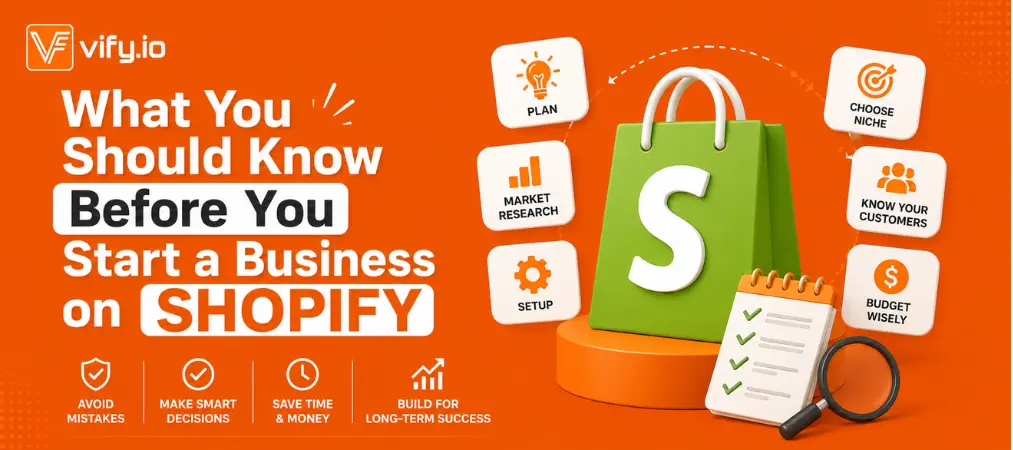
Before diving into the setup process, there are a few things worth understanding upfront. Knowing these early will save you time, money, and a lot of frustration down the road.
Shopify is a tool, not a guarantee. The platform gives you everything you need to build a store, but your success ultimately depends on the product you choose, how you market it, and how consistently you show up. Thousands of stores launch every day — the ones that thrive are the ones with a real strategy behind them.
Budget beyond the subscription fee. Your monthly Shopify plan is just the starting point. Factor in costs for a custom domain, premium theme (optional), paid apps, and your initial marketing budget. Going in with a realistic financial picture prevents nasty surprises later.
Pick one niche and go deep. It’s tempting to sell a wide range of products, especially if you’re dropshipping. Resist that urge early on. A focused store with a clear audience converts far better than a general store trying to appeal to everyone.
Treat it like a real business from day one. Set up a separate business bank account, keep records of your expenses, and understand the tax obligations in your region. The administrative side isn’t glamorous, but it protects you as you scale.
With those foundations in place, here’s exactly how to start a business with Shopify — step by step:
Step 1: Define Your Business Idea and Niche

Before you log into Shopify, you need to get clear on what you’re selling and who you’re selling it to. Jumping straight into store setup without a defined niche is one of the most common mistakes new entrepreneurs make.
Ask yourself:
- What problem does my product solve?
- Who is my ideal customer?
- Is there demand for this product online?
Use free tools like Google Trends or Reddit communities to validate your idea before investing time and money. A well-defined niche makes everything easier — from writing product descriptions to running ads.
Pro tip: Narrow is powerful. “Eco-friendly pet accessories for small dogs” converts far better than “pet supplies.”
Step 2: Set Up Your Shopify Account
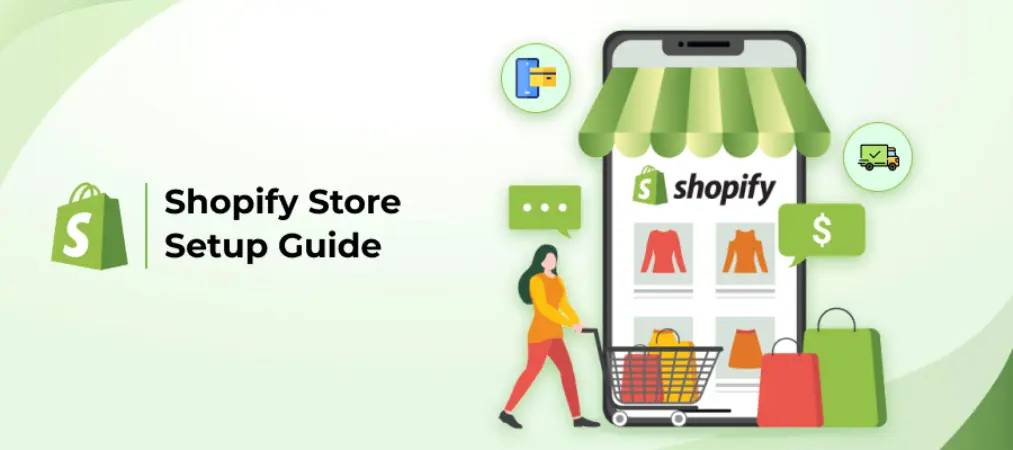
Once you have a business idea locked in, head to Shopify’s website and create your account. Shopify offers a free trial period, so you can explore the platform before committing to a paid plan. After the trial, pricing starts at an affordable monthly rate, with higher tiers unlocking advanced features like professional reports and lower transaction fees.
During signup, you’ll be asked to:
- Enter your email, password, and store name
- Answer a few questions about your business stage and goals
- Provide basic personal and business information
After that, you’ll land in the Shopify admin dashboard — your command center for everything from products to payments to marketing.
Step 3: Choose a Theme That Reflects Your Brand
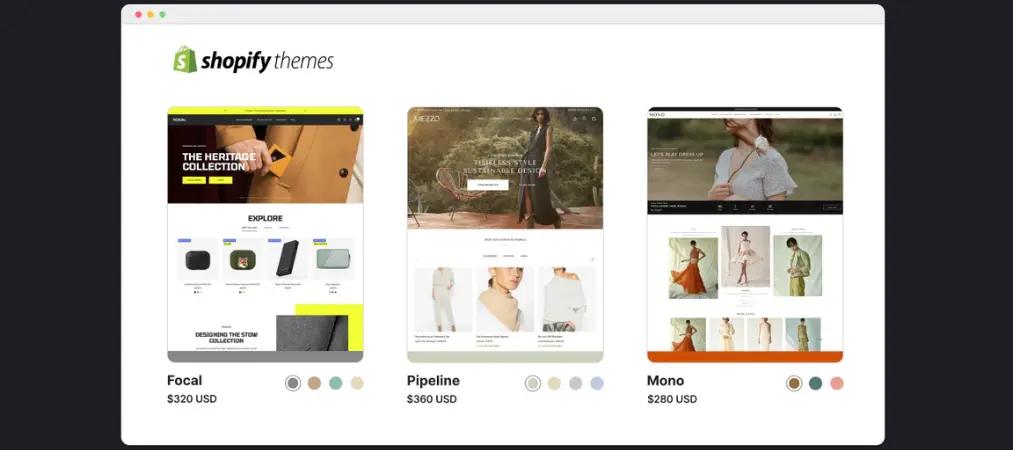
Your store’s design is the first impression customers get of your business. Shopify’s Theme Store offers both free and premium options, and you don’t need any coding knowledge to get a professional-looking result.
Free themes are a solid starting point and allow you to customize colors, fonts, logos, and layout. Premium themes, which typically range from $180 to $400+, come with more advanced features such as sticky headers, countdown timers, and lookbook-style galleries.
When choosing a theme, keep these factors in mind:
- Load speed: A slow theme kills conversions. Always check performance ratings.
- Mobile responsiveness: Over 70% of e-commerce traffic comes from mobile devices.
- Industry fit: Some themes are built for fashion, others for electronics or food — pick one that suits your niche.
If you want expert help, Shopify Experts are vetted professionals who can build or customize your store for a fee.
Step 4: Add Products With Listings That Sell
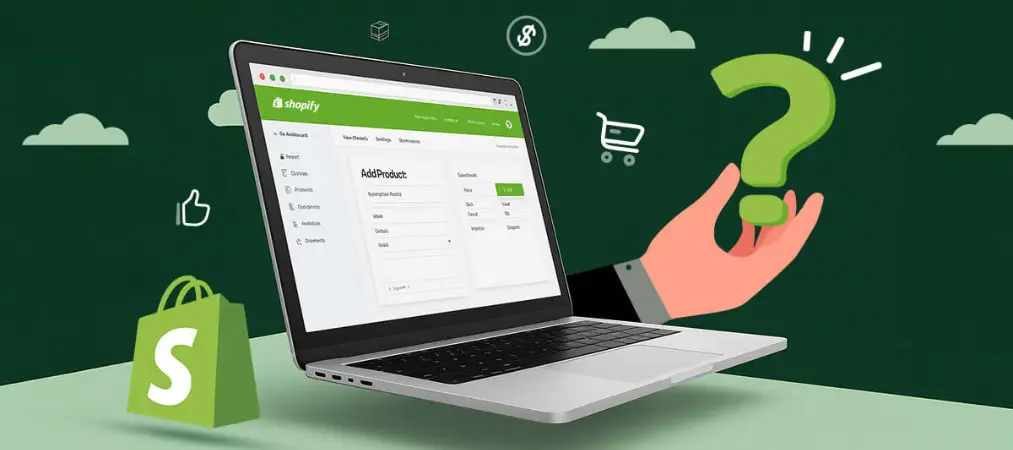
With your store design in place, it’s time to add your products. Go to the Products tab in your dashboard and click Add Product. This is where great stores separate themselves from average ones.
A high-converting product listing includes:
- A clear, keyword-rich title — Tell shoppers exactly what they’re getting. Keep it concise and searchable.
- A compelling description — Don’t just list features. Focus on benefits and speak directly to your customer’s pain points. Explain how the product improves their life.
- High-quality photos — Use multiple angles and lifestyle shots where possible. Clean, well-lit images drive more trust and more sales.
- Transparent pricing — Set prices that reflect your costs, perceived value, and competitive landscape. You can always adjust later.
- Inventory and SKU details — Keep your stock tracking organized from day one.
Avoid the temptation to copy manufacturer descriptions. Original, customer-focused copy will always outperform generic content — and it’s better for SEO, too.
Step 5: Configure Payments, Shipping, and Your Domain
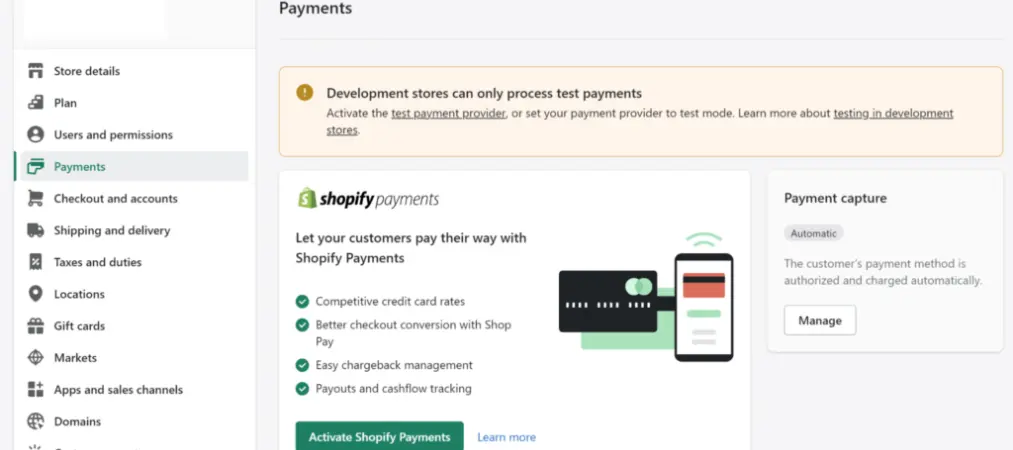
This step is often where new store owners get stuck, but it doesn’t have to be complicated.
Payment processing: Shopify Payments is the built-in option and eliminates third-party transaction fees. If it’s not available in your country, you can integrate providers like Stripe, PayPal, or other regional gateways. Offer multiple payment methods — credit cards, digital wallets, and Buy Now Pay Later (BNPL) options like Shop Pay Installments — to reduce cart abandonment.
Shipping settings: Decide whether you’ll offer free shipping, flat-rate shipping, or real-time carrier rates. Free shipping (built into your product price) is a proven conversion booster. Set up shipping zones to control where you deliver and what you charge.
Custom domain: By default, your store URL will include “myshopify.com.” Purchasing a custom domain (e.g., yourbrand.com) looks far more professional and builds customer trust. You can buy a domain directly through Shopify or connect one you already own from a third-party registrar like GoDaddy or Namecheap.
Step 6: Optimize Your Store for Search Engines
When you shopify start a business, getting found on Google should be a top priority from day one. SEO (Search Engine Optimization) is one of the most cost-effective ways to drive long-term, sustainable traffic to your store.
Here’s how to optimize your Shopify store for search:
- Page titles and meta descriptions: Write unique, keyword-rich titles and descriptions for every page, product, and collection.
- Image alt text: Name your image files descriptively (e.g., “blue-canvas-backpack.jpg”) and add alt text with relevant keywords.
- URL structure: Keep URLs short and readable. Shopify auto-generates these, but you can edit them manually.
- Blog content: Starting a blog is one of the best long-term SEO moves you can make. Write content that answers your customers’ questions and targets keywords they’re searching for.
- Site speed: Minimize unnecessary apps and choose a lightweight theme. Google factors page speed into rankings.
- Internal linking: Link between your product pages, collections, and blog posts to help search engines (and customers) navigate your store.
Use free tools like Google Search Console and Google Keyword Planner to track your rankings and discover new keyword opportunities.
Step 7: Launch, Promote, and Track Your Growth

You’ve built your store — now it’s time to get eyes on it. A successful launch doesn’t happen by accident. You need a promotion plan.
Pre-launch: Build anticipation with a “coming soon” page, email waitlist, or social media teaser campaign. Even a small audience of 100 people can generate your first sales.
Tools like Vify Shopify Order Printer app make it easy to send polished, branded invoices and packing slips that leave a lasting impression.
Launch day promotion tactics:
- Share your store on social media platforms where your target audience spends time
- Reach out to friends, family, and your existing network
- Consider running a limited-time launch discount to create urgency
- Partner with micro-influencers in your niche for added reach
What to Focus on After You Launch Your Shopify Store

Getting your store live is a milestone worth celebrating — but it’s really just the beginning. Many new store owners pour all their energy into the launch and then lose momentum when sales don’t immediately flood in. Here’s what to prioritize in the weeks and months after you go live.
Be patient with traffic growth. Organic traffic from SEO takes time to build. Don’t panic if your first few weeks are quiet. Stay consistent with content, keep optimizing your product pages, and let the algorithm catch up.
Collect and act on customer feedback. Your first customers are your most valuable source of insight. Pay attention to the questions they ask, the complaints they raise, and the compliments they give. Use that information to improve your product listings, shipping experience, and customer service.
Build an email list from day one. Social media algorithms change. Ad costs rise. Your email list is the one channel you own outright. Use Shopify’s built-in tools or integrate an email platform like Klaviyo to start capturing subscribers immediately.
Don’t neglect the post-purchase experience. The sale doesn’t end at checkout. Customers remember how they felt after buying — the confirmation email, the packaging, the invoice. A clean, professional order and invoice experience goes a long way in building repeat business. A clean, professional order and invoice experience goes a long way in building repeat business. Not sure which invoicing solution fits your store? Check out this breakdown of the best Shopify invoice generators to find the right one for your needs.
Review your analytics weekly. Check which products get the most views but fewest purchases — those listings need work. Monitor your traffic sources to double down on what’s already working. Small, data-driven adjustments compound into big results over time.
Frequently Asked Questions
Is Shopify a good platform for first-time business owners?
Absolutely. Shopify is designed to be beginner-friendly, with an intuitive dashboard, drag-and-drop design tools, and extensive help documentation. You don’t need technical skills to launch a professional-looking store.
How much does it cost to start a business with Shopify?
Shopify’s paid plans vary in price depending on the features you need. All plans include hosting, SSL security, and access to the app store. Your total startup costs will also depend on your chosen theme, apps, and whether you’re purchasing or manufacturing inventory.
Can I run a Shopify business without holding any inventory?
Yes. Many entrepreneurs use Shopify with a dropshipping model, where a third-party supplier ships products directly to customers. Apps like DSers or Zendrop make it easy to connect your Shopify store with dropshipping suppliers.
How long does it take to set up a Shopify store?
A basic store can be set up in a few hours. A more polished, fully optimized store with multiple products, custom design, and integrated apps typically takes a few days to a week.
Do I need a business license to sell on Shopify?
Shopify itself doesn’t require a business license to open a store. However, depending on your country, state, and product type, local laws may require one. It’s always best to consult a legal or business advisor to ensure compliance.
Final Thoughts
Learning how to start a business on Shopify is one of the most empowering steps you can take as an entrepreneur. The platform removes most of the technical barriers that once made e-commerce intimidating, giving you a clear path from idea to income.
Follow the seven steps above, stay consistent with your marketing efforts, and commit to continuous improvement based on your store data. Success on Shopify isn’t an overnight event — but with the right foundation in place, it’s absolutely within reach.
As your store grows, don’t overlook the operational details that keep customers coming back. A professional order and invoice printing system — like Vify Order Printer — can help you deliver a polished post-purchase experience that builds trust and loyalty from day one.