Table of Contents
Building a successful online store doesn’t have to drain your budget. With the right design, your storefront can look polished, convert visitors into buyers, and reflect your brand — all without spending a cent on a template. That’s exactly what the best free Shopify themes make possible.
Whether you’re launching your first store or refreshing an existing one, today’s free Shopify themes are surprisingly capable. They come with responsive layouts, customizable sections, and mobile-friendly designs that rival many paid alternatives. In this guide, we’ve handpicked the top free options across six key categories: Fashion & Apparel, Beauty & Wellness, Tech & Electronics, Home & Furniture, Health & Fitness, and Food & Beverage.
Table of Contents
What Makes a Great Shopify Theme?
A Shopify theme is more than a visual wrapper — it’s the backbone of your customer’s shopping experience. Layout, typography, navigation structure, and page speed all stem directly from the theme you choose. A well-matched theme reduces bounce rates, improves trust, and increases the likelihood that a visitor makes a purchase.
Free Shopify themes have matured significantly. Many of the best theme options for Shopify now include image zoom, predictive search, sticky headers, and multi-column menus — features that were once exclusive to premium templates. For startups and growing brands, these Shopify themes for free offer an accessible, low-risk way to establish a professional online presence.
Before diving into the themes, it’s also worth knowing that once your store is live, you’ll need tools to manage orders efficiently — check out our guide on the best Shopify invoice generators to keep your operations running smoothly from day one.
Top Free Shopify Themes by Category
Fashion & Apparel
The fashion industry demands themes that are as visually compelling as the products themselves. These free Shopify themes balance bold imagery with clean navigation, helping clothing brands make a strong first impression.
1. Dawn
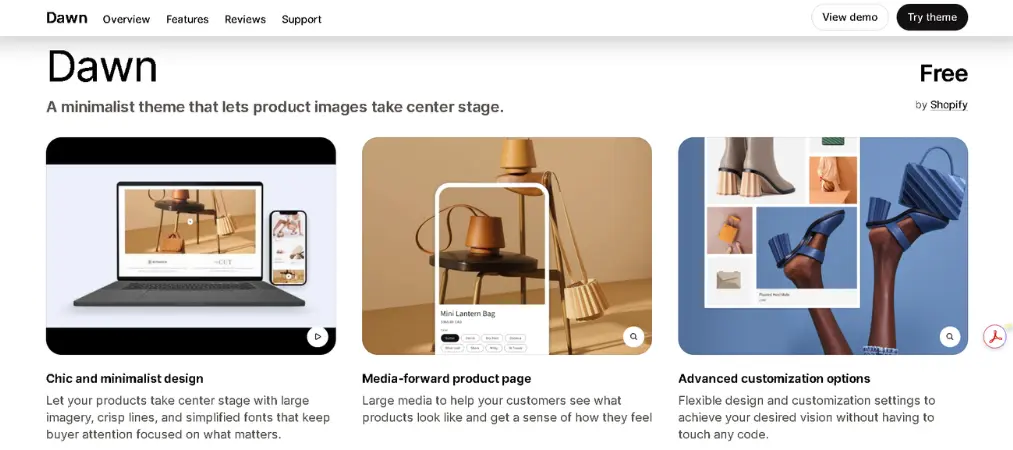
Dawn is Shopify’s flagship free theme and arguably the best theme for Shopify if you want a clean, versatile foundation. It features a minimalist layout, flexible content sections, and excellent performance out of the box.
- Key Features: Flexible sections, image-focused homepage, fast load times
- Pros: Highly customizable, well-documented, actively maintained by Shopify
- Cons: Very common — your store may look similar to others without heavy customization
- Rating: ⭐ 4.8/5
- Pricing: Free
2. Colorblock
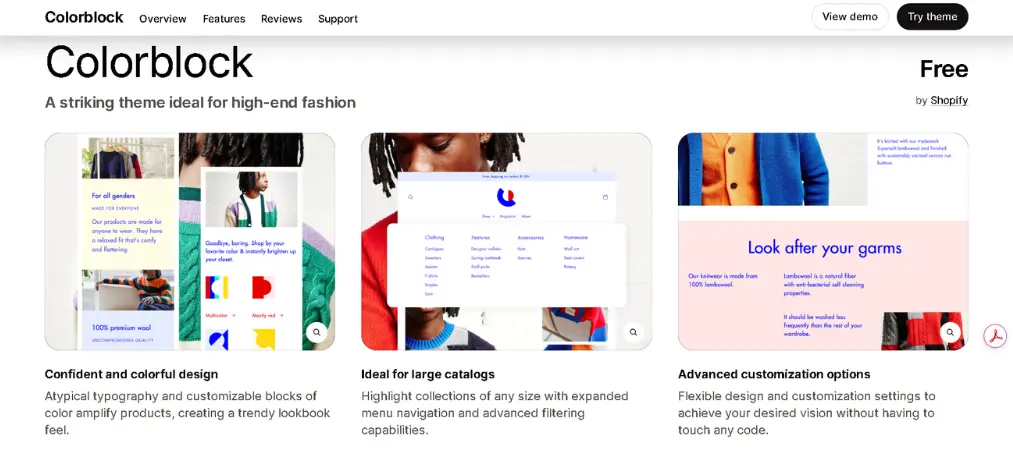
For apparel stores with large inventories, Colorblock delivers a grid-based browsing experience that makes it easy to explore collections. Bold color accents give store owners solid control over brand identity.
- Key Features: Grid layouts, color-block sections, mobile-optimized
- Pros: Great for large catalogs, visually striking
- Cons: Can feel busy if not styled carefully
- Rating: ⭐ 4.5/5
- Pricing: Free
3. Spotlight
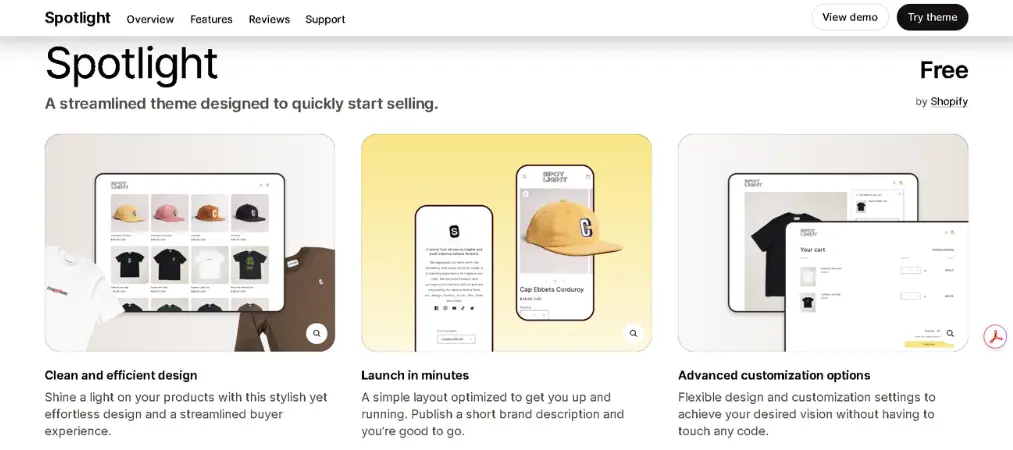
Spotlight strips away the noise so your products can do the talking. A streamlined Shopify theme built for speed — great for fashion brands that want clarity over complexity.
- Key Features: Simplified layout, fast setup, clean product pages
- Pros: Quick to launch, beginner-friendly
- Cons: Limited design variety compared to Dawn or Colorblock
- Rating: ⭐ 4.4/5
- Pricing: Free
Beauty & Wellness
Beauty brands rely on atmosphere as much as product. These Shopify themes for free emphasize clean visuals, generous white space, and strong typography to create the premium feel customers expect.
1. Sense
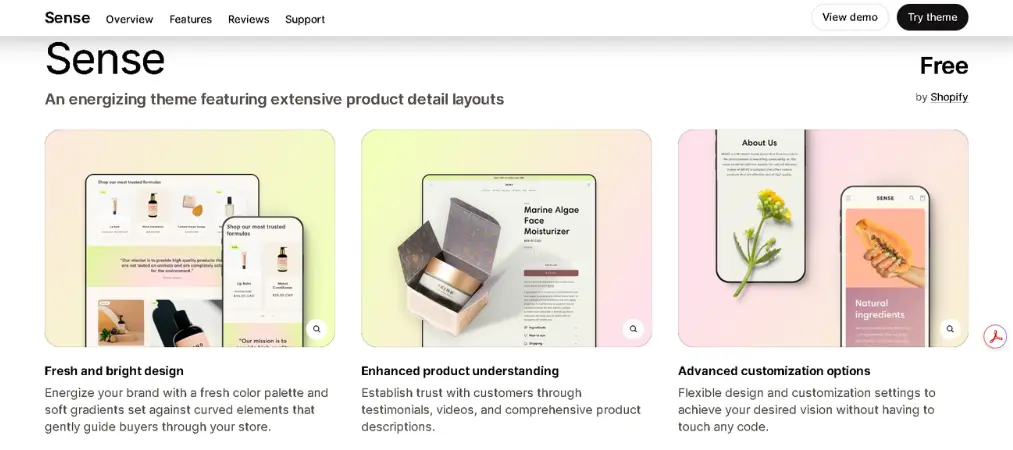
Built specifically for beauty and wellness stores, Sense lets large hero images and soft typography do the heavy lifting. One of the best free Shopify themes for brands where aesthetics are everything.
- Key Features: Bold imagery, clean product pages, mobile-first design
- Pros: Perfect visual tone for beauty brands, easy to customize
- Cons: Less suited for stores with large, complex catalogs
- Rating: ⭐ 4.7/5
- Pricing: Free
2. Refresh
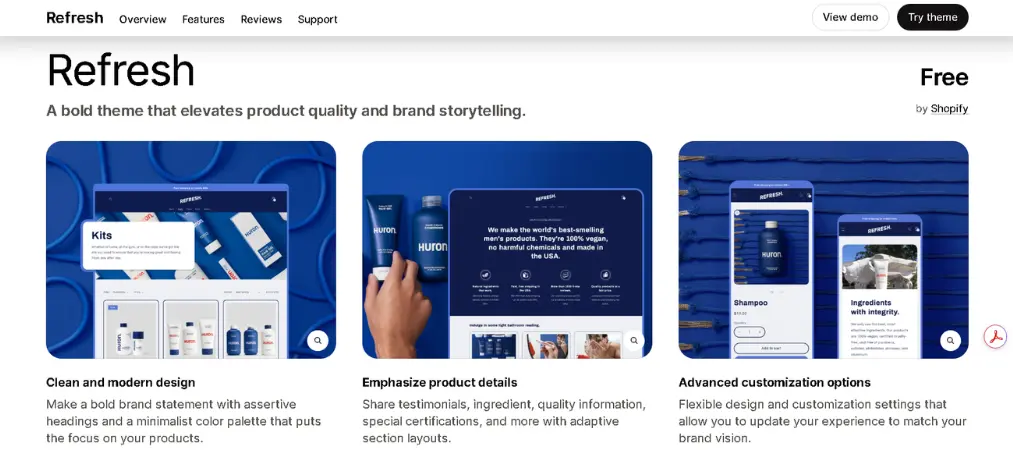
Refresh takes a bolder approach — high-contrast palettes, editorial typography, and a layout built to tell a brand story as much as sell products. Excellent for wellness brands with a strong identity.
- Key Features: Minimalist palette, bold typography, storytelling sections
- Pros: Brand-forward design, strong visual hierarchy
- Cons: May require more customization time to match your brand perfectly
- Rating: ⭐ 4.6/5
- Pricing: Free
Tech & Electronics
Electronics stores need themes that communicate trust, organize information clearly, and help customers compare products with ease. These Shopify themes deliver on all fronts.
1. Combine
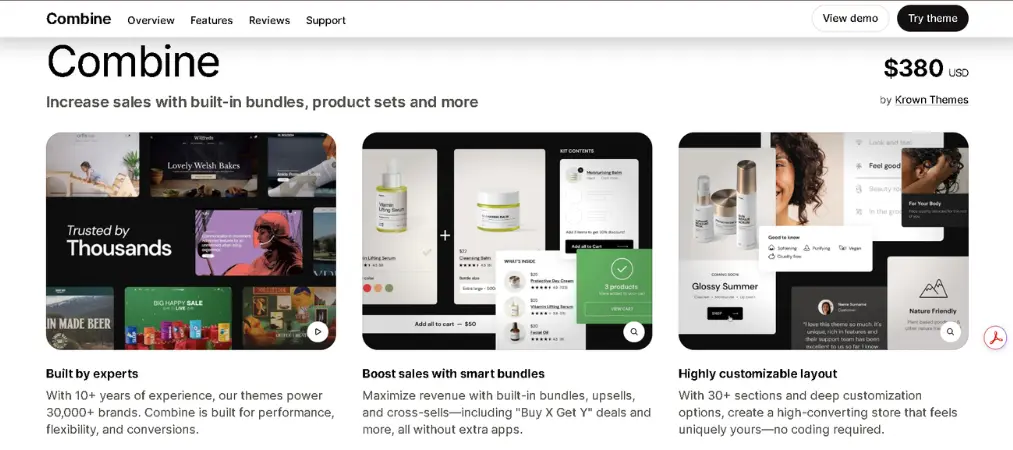
Combine is built for stores with large and varied product catalogs — perfect for electronics retailers. It features advanced filtering, predictive search, and a grid layout that keeps complex inventories browsable and organized.
- Key Features: Advanced filtering, predictive search, multi-column navigation
- Pros: Handles large catalogs well, professional and structured
- Cons: Minimal visual personality — needs branding work to stand out
- Rating: ⭐ 4.5/5
- Pricing: Free
2. Studio
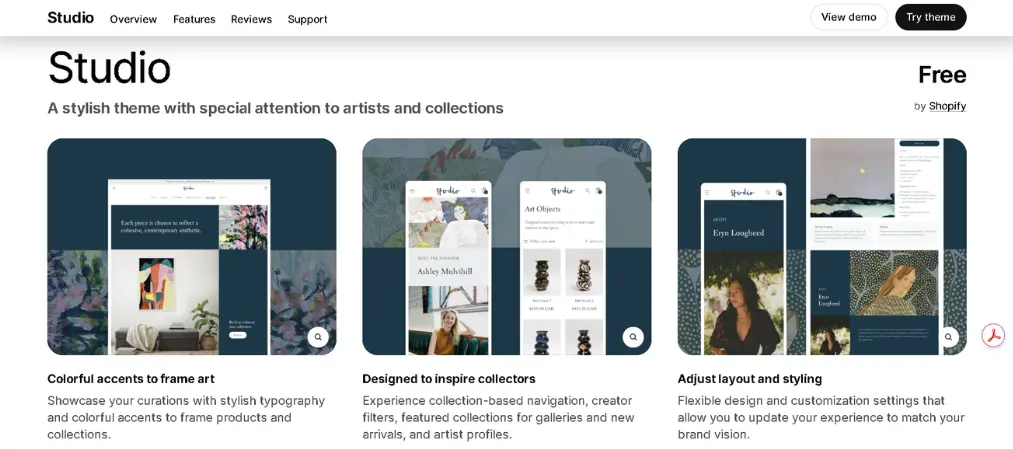
Studio brings a clean, editorial feel to product-focused stores. While versatile, its structured layout and emphasis on product imagery makes it a smart pick for tech accessories or curated electronics lines.
- Key Features: Editorial layout, strong product focus, clean grid
- Pros: Versatile design, high-quality product presentation
- Cons: Better for curated catalogs than bulk electronics
- Rating: ⭐ 4.4/5
- Pricing: Free
Home & Furniture
Furniture and home décor buyers need to envision products in their space. These free Shopify themes prioritize generous imagery, refined typography, and a calm browsing experience that supports considered purchases.
1. Craft
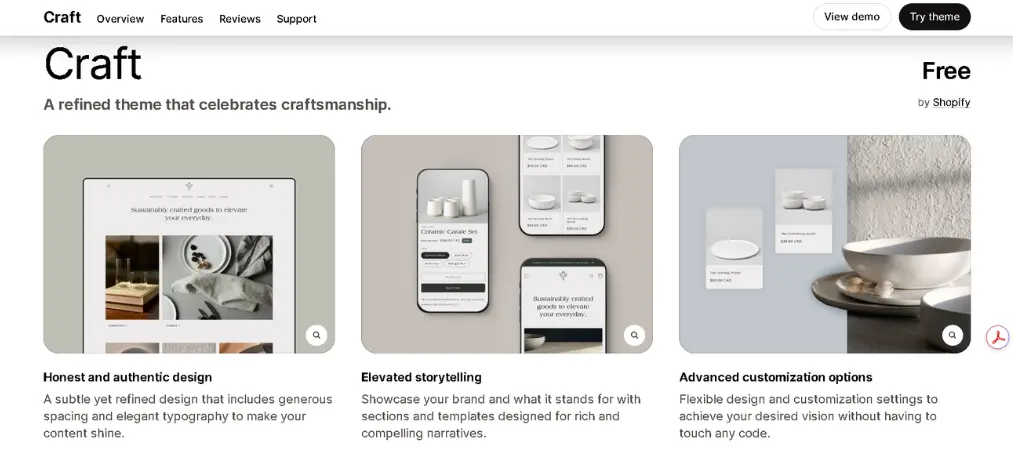
One of the most elegant free Shopify themes available. Craft celebrates craftsmanship through refined typography, generous spacing, and a timeless visual style — ideal for artisan furniture makers or boutique home goods stores.
- Key Features: Elegant typography, spacious layout, editorial sections
- Pros: High-end aesthetic, perfect for artisan or boutique brands
- Cons: Not ideal for stores with large, varied inventories
- Rating: ⭐ 4.7/5
- Pricing: Free
2. Trade
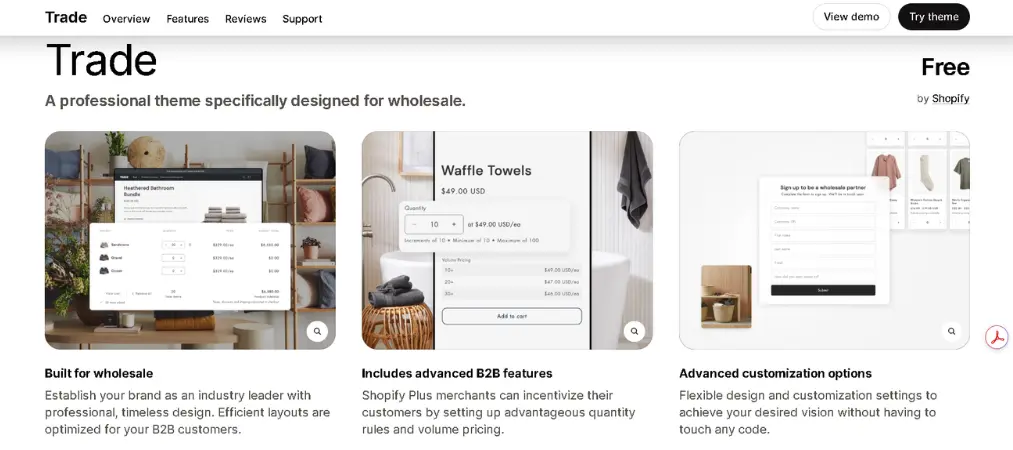
Purpose-built for home décor and furniture retailers. Trade offers flexible sections, clear product categorization, and a user-friendly interface that makes browsing large collections easy and enjoyable.
- Key Features: Customizable sections, strong product categorization, clean layout
- Pros: Great for larger furniture stores, easy to navigate
- Cons: More functional than visually distinctive by default
- Rating: ⭐ 4.5/5
- Pricing: Free
Health & Fitness
Fitness brands need energy and clarity in equal measure. These Shopify themes bring dynamic visuals and bold design to stores selling sporting goods, supplements, or activewear.
1. Ride
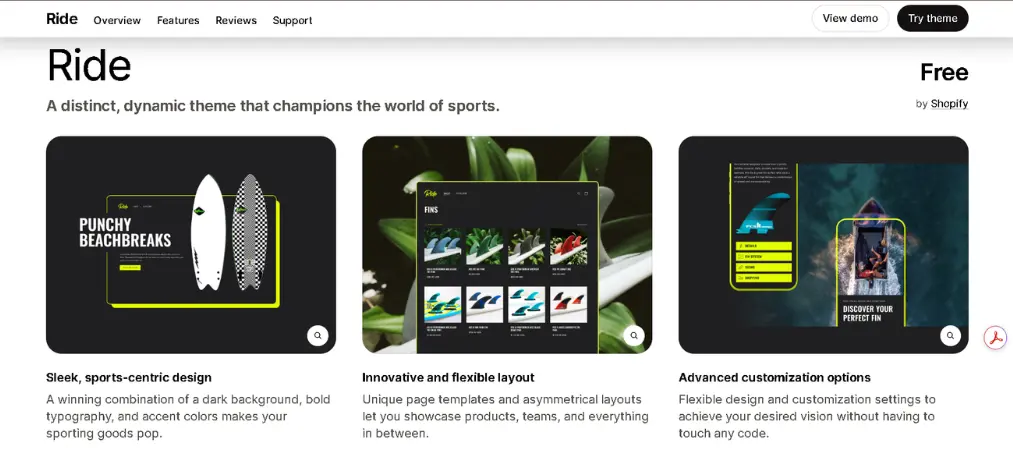
Built for sporting goods stores, Ride brings real visual impact. A dark background, bold typography, and high-contrast accents create a shopping environment that feels as active as the products it sells.
- Key Features: Dark aesthetic, bold typography, strong product focus
- Pros: High visual impact, suits premium sports brands
- Cons: Dark theme may not suit all fitness sub-niches
- Rating: ⭐ 4.6/5
- Pricing: Free
2. Origin
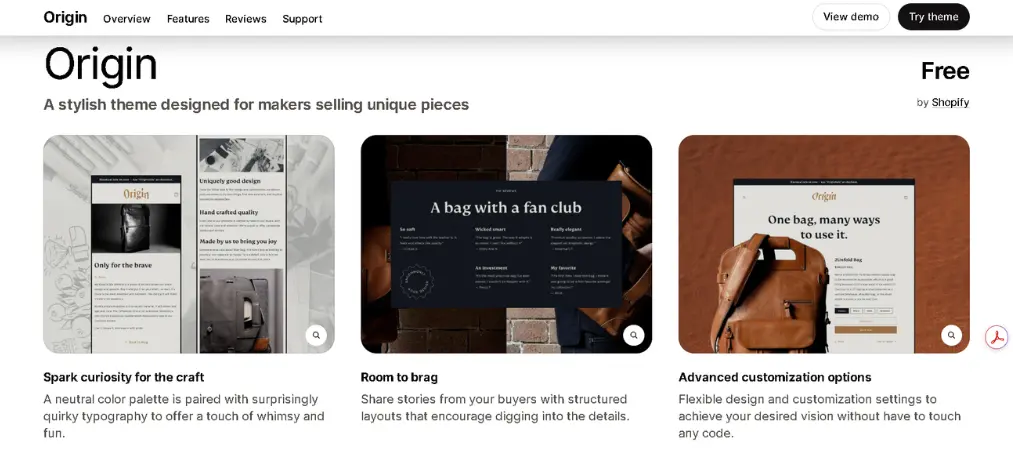
Origin combines bold imagery with a mobile-first layout, making it a strong choice for fitness and activewear brands that want to lead with powerful visuals and convert on any device.
- Key Features: Bold hero sections, mobile-first, image-forward layout
- Pros: Great for active lifestyle brands, punchy and energetic feel
- Cons: Limited layout variation without customization
- Rating: ⭐ 4.4/5
- Pricing: Free
Food & Beverage
Food stores live or die on appetite appeal. These free Shopify themes use vibrant visuals and inviting layouts to make products irresistible — whether you’re selling artisan groceries, packaged goods, or specialty drinks.
1. Crave
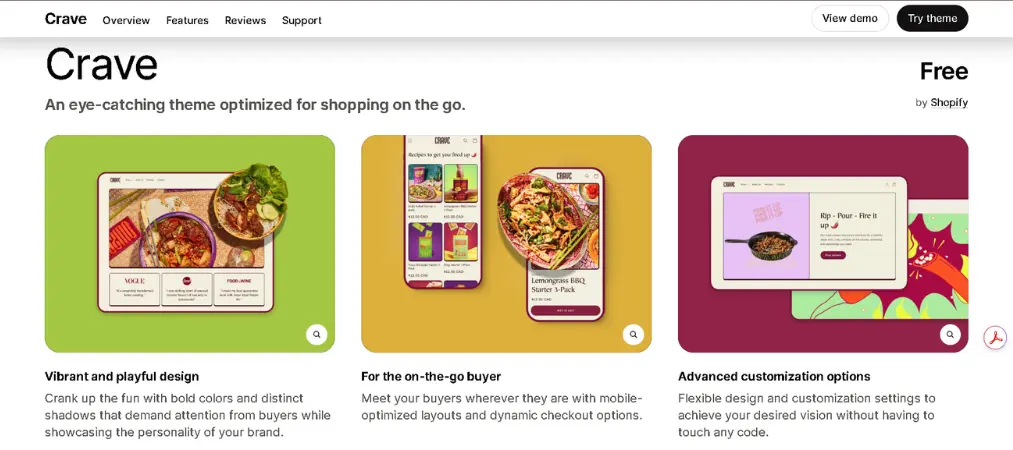
Shopify’s dedicated theme for food and beverage brands earns its name. Bold colors, playful shadows, and a mobile-optimized layout make it one of the best Shopify themes for food retailers looking to build brand personality.
- Key Features: Bold color palette, mobile-first design, personality-driven layout
- Pros: Standout visual style, great for DTC food brands
- Cons: Stylized design may not suit all food niches
- Rating: ⭐ 4.6/5
- Pricing: Free
2. Taste
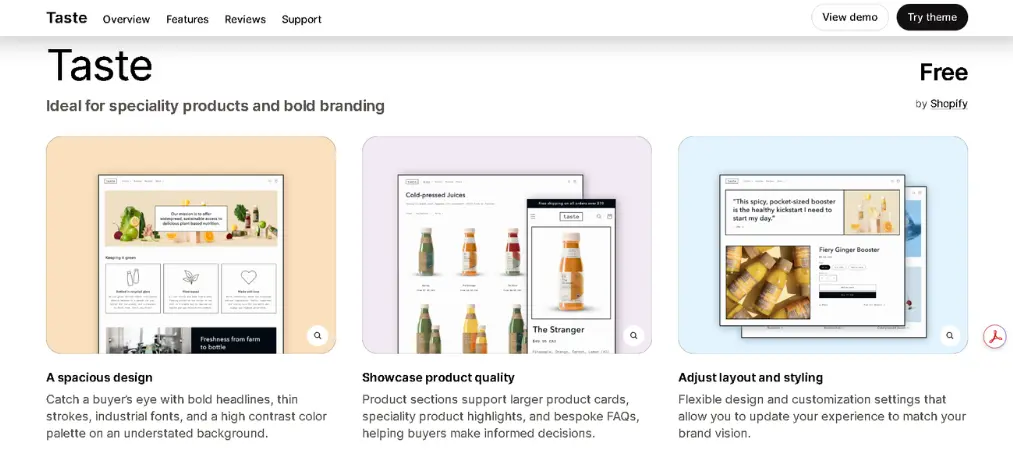
Taste takes a refined approach — high-contrast typography and a sophisticated backdrop let specialty food products speak for themselves. A strong option for premium or gourmet brands.
- Key Features: High-contrast design, editorial typography, brand-forward layout
- Pros: Premium feel, excellent for gourmet or artisan brands
- Cons: Less playful — may not suit all food brand personalities
- Rating: ⭐ 4.5/5
- Pricing: Free
How to Install a Free Shopify Theme
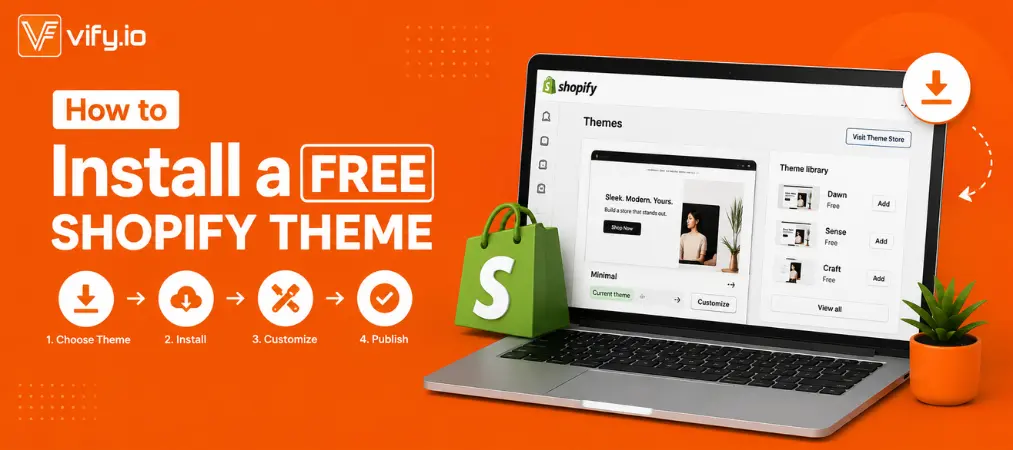
Installing a free Shopify theme takes less than five minutes. Here’s a step-by-step walkthrough:
Step 1: Log in to Your Shopify Admin
Go to your Shopify dashboard and log in with your store credentials.
Step 2: Navigate to the Theme Library
From the left-hand sidebar, go to Online Store → Themes. You’ll see your current active theme at the top, and your theme library below.
Step 3: Browse the Shopify Theme Store
Scroll down and click “Visit Theme Store” to open the official Shopify Theme Store. Use the filter on the left to select “Free” under the pricing options to display only free Shopify themes.
Step 4: Choose Your Theme
Browse the available themes and click on any one to preview it. You can toggle between style variants (if available) and use the live preview to see how the theme looks with sample content.
Step 5: Add the Theme to Your Store
Once you’ve decided, click “Try theme” (or “Add to theme library”). Shopify will add it to your theme library without making it live yet.
Step 6: Customize Before Publishing
In your theme library, click “Customize” next to the newly added theme. Use Shopify’s drag-and-drop editor to adjust colors, fonts, sections, and content to match your brand.
Step 7: Publish the Theme
When you’re satisfied with how it looks, click “Save” then go back to your theme library and select “Publish” to make it your live storefront theme.
Tip: Always preview on both desktop and mobile before publishing. Shopify’s editor includes a mobile toggle so you can check responsiveness without leaving the customizer.
Free vs. Paid Shopify Themes: Pros, Cons, and When to Upgrade

Choosing the right theme is just one piece of the puzzle. As your store grows, understanding must-know Shopify features for store owners will help you get the most out of the platform — whether you’re on a free or paid theme. Here’s an honest breakdown:
Free Shopify Themes
Pros:
- Zero upfront cost — ideal for new businesses testing a niche
- Built and maintained directly by Shopify, ensuring platform compatibility
- Responsive, fast, and optimized for core e-commerce features
- Regular updates included at no charge
- Sufficient for stores with small-to-medium catalogs
Cons:
- Fewer layout and design options compared to paid themes
- Widely used — your store may look like many others without significant customization
- Limited advanced features (e.g., advanced filtering, wishlist, product bundles)
- Less niche-specific design tailoring
- Community-level support only, not dedicated developer support
Paid Shopify Themes
Pros:
- Advanced features out of the box (upsell sections, mega menus, advanced filtering, animation)
- More unique and distinctive designs — less competition on look
- Dedicated customer support from theme developers
- Regular premium updates and compatibility patches
- Industry-specific design elements and demo content
Cons:
- One-time cost typically ranges from $150–$400
- Higher upfront investment — risky for unvalidated businesses
- More features can mean more complexity and slightly slower load times if unused features aren’t cleaned up
- Some paid themes have limited support windows
When to Start with a Free Theme
You’re launching your first store, operating on a tight budget, have a small catalog (under 50–100 products), or are still testing whether your product-market fit is right. The best free Shopify themes give you everything you need to go live and start selling.
When to Invest in a Paid Theme
Your store is generating consistent revenue and you’re ready to scale, you need advanced functionality that free themes don’t offer, or you want a more distinctive visual identity that sets you apart from competitors.
Bottom line: Start free, validate your store, then upgrade when the revenue justifies it.
What Store Owners Often Ask
Q: Are free Shopify themes good enough for a professional store?
Yes. The best free Shopify themes — especially those built by Shopify itself like Dawn, Sense, and Craft — are production-ready and used by thousands of successful stores. They’re responsive, fast, and fully compatible with all Shopify features.
Q: Can I switch Shopify themes later without losing my content?
Switching themes does not delete your products, pages, or blog posts. However, customizations you made in the theme editor (section layouts, colors, fonts) are theme-specific and won’t transfer automatically. It’s good practice to take screenshots of your current setup before switching.
Q: How many free Shopify themes are there?
Now, Shopify offers over 15 free themes directly in the Shopify Theme Store, spanning a range of styles and industries.
Q: Do free Shopify themes include customer support?
Free themes maintained by Shopify are supported through the Shopify Help Center and community forums. They do not come with dedicated one-on-one developer support the way most paid themes do.
Q: Can I customize a free Shopify theme without coding?
Yes. Shopify’s drag-and-drop theme editor lets you adjust layouts, colors, fonts, sections, and content with no coding required. For deeper customization, you can edit the theme’s Liquid, CSS, and JavaScript files directly.
Q: Which free Shopify theme is best for beginners?
Dawn is widely considered the most beginner-friendly free Shopify theme. It’s well-documented, easy to customize, and flexible enough to work across multiple industries.
Q: Will a free theme hurt my SEO?
No. All official Shopify themes — free and paid — are built with SEO best practices in mind, including fast load times, clean HTML structure, and mobile responsiveness, which are all ranking factors Google considers.
Final Thoughts
The best free Shopify themes are genuinely capable — more so than ever before. From the editorial elegance of Craft to the bold energy of Ride, there’s a Shopify theme for free that fits nearly every store type and brand personality.
Start by identifying your industry, your aesthetic, and the size of your catalog. Then pick a theme from the matching category above. Most of these themes can be live in under an hour — letting you focus on what actually drives growth: your products, your marketing, and your customers.
Ready to build your store? Explore our in-depth guides, tips, and e-commerce resources at orderprinter.vify.io to take your Shopify journey further.