Table of Contents
The mobile web has a performance problem. Users expect apps to load instantly, work without a strong connection, and feel smooth on any device. Traditional websites often fall short. Native apps solve many of those problems but come with high development costs, platform fragmentation, and the friction of app store downloads.
Progressive Web Apps and their advantages offer a third path. They are built with standard web technologies — HTML, CSS, and JavaScript — but deliver an experience that rivals native apps. Understanding their advantages helps you decide whether a PWA is the right investment for your business or project.
Table of Contents
What is a PWAs (Progressive Web Apps) ?
Therefore, the PWA is halfway between a website and an app, using web technology to provide the app’s functionalities. It is an app that works with the technology of a webpage, taking the advantages of one and the other. For example, you can use offline or generate notifications as an app while maintaining the website characteristics, such as search engine indexing.
In this article, we will explore the advantages of using PWAs, including faster loading speeds, offline accessibility, improved user experience, cost-effectiveness, and increased discoverability. By the end of this article, you will have a clear understanding of why PWAs are becoming increasingly popular among businesses and developers alike.
10 Key Advantages of Progressive Web Apps
1. Faster Loading Speed
Speed is one of PWAs’ most significant technical advantages. PWAs use service workers — background scripts that cache content and assets on the device after the first visit. On subsequent visits, the app loads from cache rather than making a full network request, which dramatically reduces load time.
PWA files are typically very lightweight, often under 1 MB. In contrast, a native app can be tens or hundreds of megabytes. Faster load times directly reduce bounce rates and improve engagement, particularly on mobile devices where connection speeds vary.
Google’s research consistently shows that a one-second delay in mobile load time can reduce conversions by up to 20%. PWAs address this directly at the architecture level.
2. Offline and Low-Connectivity Access
Because PWAs cache content locally using service workers, they continue to function even when the user is offline or on a poor network connection. Users can browse cached pages, interact with features that do not require a live connection, and receive a meaningful experience rather than an error screen.
This advantage is especially valuable for eCommerce businesses, media platforms, and productivity tools whose users may be on the go, traveling, or in areas with unreliable connectivity.
3. App-Like Experience Without an App Store
PWAs can be added to the home screen of any device directly from the browser. Once installed, they launch in full-screen mode without a browser address bar, making them indistinguishable from native apps to the end user.
This removes a major barrier to adoption. Users do not need to find your app in an app store, download it, wait for it to install, and grant permissions — they simply visit your site and tap “Add to Home Screen.” Fewer steps between discovery and installation means higher conversion rates.
4. No App Store Approval Process
Native app development includes the unpredictable step of app store review. Apple’s App Store review process can take days, and apps can be rejected for reasons outside the developer’s control. Google Play is faster but still imposes review requirements. Any update to a native app must go through the same process.
PWAs bypass this entirely. Updates are deployed directly to the server and reach users the next time they load the app — no submission, no review, no waiting. This accelerates your ability to ship improvements, fix bugs, and respond to user feedback in real time.
5. Cost-Effective to Build and Maintain
Developing a native app for both iOS and Android requires two separate codebases, two separate developer skill sets (Swift/Objective-C for iOS, Kotlin/Java for Android), and ongoing maintenance of two separate deployments.
A PWA is built once using standard web technologies and runs on every platform that has a modern browser. This typically reduces development costs significantly, especially for businesses that cannot justify maintaining a dedicated mobile development team. A single front-end development team can build, update, and maintain the PWA across all platforms.

6. Push Notifications
PWAs support push notifications, allowing businesses to re-engage users with timely, relevant updates — even when the user is not actively on the site. This is the same capability that makes push notifications such a powerful retention tool in native apps, now available through the web.
Push notifications can be used to announce promotions, order status updates, content alerts, or personalized reminders. Businesses that have implemented PWA push notifications have reported significant increases in user time on site and repeat visits.
Note: push notification support on iOS has improved substantially since Safari 16.4 (released 2023), which added web push support for PWAs added to the home screen on iPhone and iPad.
7. Improved SEO and Search Discoverability
Unlike native apps, which are invisible to search engines, PWAs are fully indexable. Every page of a PWA can be crawled, indexed, and ranked by Google and other search engines — the same as a standard website.
Google has also integrated Core Web Vitals (loading, interactivity, and visual stability) directly into its ranking signals. Because PWAs are architecturally optimized for performance — fast load times, minimal layout shift, quick interactivity — they naturally align with what Google rewards in search rankings.
PWAs that are responsive, fast, and properly structured give businesses a single platform that serves both organic search traffic and app-style engagement, without splitting effort between two separate products.
8. Better User Experience Across All Devices
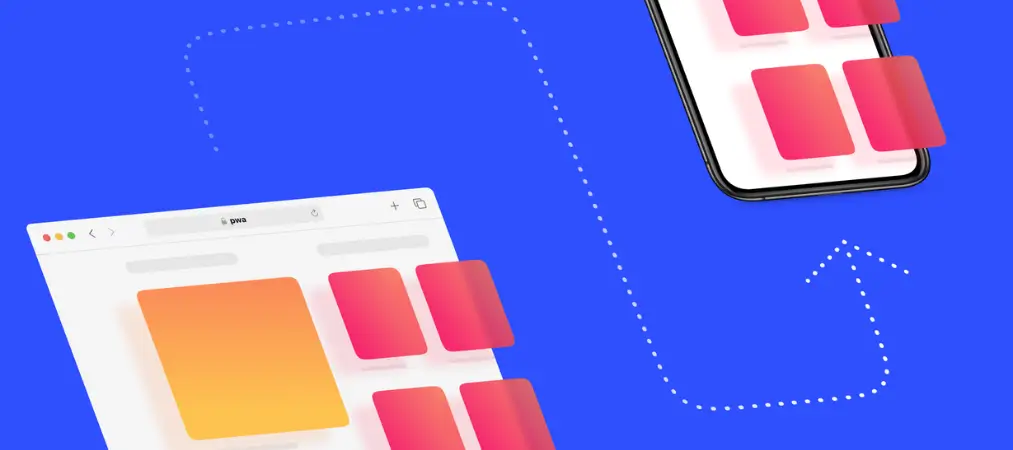
PWAs use responsive design to adapt seamlessly to any screen size — from a 4-inch mobile phone to a widescreen desktop monitor. Developers maintain a single codebase that works consistently everywhere, without needing to build and optimize a separate experience for each device type.
Additionally, PWAs support gestures, transitions, and animations that make interactions feel fluid and natural. Combined with full-screen mode after installation, the experience closely mirrors a native app — without the download overhead.
9. Always Up to Date
When a user opens a PWA, the service worker checks for updates in the background. If a new version of the app is available, it is downloaded automatically and served on the next launch. Users are always on the latest version without any action on their part.
This is a meaningful advantage over native apps, where a portion of your user base may be on outdated versions at any given time, leading to fragmented support issues and inconsistent experiences.
10. Secure by Default
PWAs are required to be served over HTTPS, which means all data transmitted between the user and the server is encrypted. HTTPS is also a Google ranking signal, so building a PWA inherently enforces a security standard that benefits both users and SEO.
Real-World Impact: PWA Performance in Practice
The advantages of PWAs are not theoretical. Several large-scale businesses have documented measurable results after launching PWAs:
- AliExpress reported a 104% increase in conversions for new users across all browsers after launching their PWA, and an 82% increase on iOS specifically.
- Alibaba saw conversions increase by 76% after adopting a PWA approach.
- Extra Electronics (a major Brazilian retailer) found that users arriving via PWA push notifications spent twice as long on the site compared to standard web visitors.
These results reflect the core value proposition of PWAs: they remove friction. Faster loads, offline capability, and home screen presence keep users engaged rather than bouncing.
How to Measure PWA Performance
Google’s Lighthouse tool (available as a built-in Chrome DevTools audit) provides a dedicated PWA audit alongside performance, accessibility, and SEO scoring. It checks for key PWA criteria including HTTPS, service worker registration, offline capability, installability, and load performance. Running a Lighthouse audit gives developers a concrete roadmap for improving PWA quality.
Who Benefits Most from PWAs?
PWAs are a strong fit for:
eCommerce stores — Faster load times, offline browsing of cached products, and push notifications for cart recovery and promotions directly improve conversion rates and repeat purchase behavior.
Media and content publishers — Articles and content cached locally load instantly even on slow connections, keeping readers engaged rather than waiting.
Service businesses — Push notifications allow service reminders, appointment confirmations, and real-time status updates without requiring a native app.
Businesses in emerging markets — Where mobile networks are slower and device storage is limited, PWAs offer a dramatically better experience than heavyweight native apps.
Startups and small teams — The cost savings from building one PWA instead of separate iOS and Android apps can be significant at early stages.
Conclusion
Progressive Web Apps represent a mature, practical option for businesses that want the engagement and performance of a native app without the cost, complexity, and distribution friction that comes with it. They are fast, offline-capable, installable, discoverable, and significantly cheaper to build and maintain than native alternatives.
As browser support for PWA features continues to mature — especially on iOS — the gap between PWAs and native apps is narrowing. For most businesses, particularly those in eCommerce and content, a well-built PWA delivers strong return on investment and positions the product to perform well in both search and user retention.
To learn more Shopify, eCommerce growth strategies, and useful Shopify tools, visit our blog at orderprinter.vify.io.